Introduction to the ERPNext Modular Ecosystem
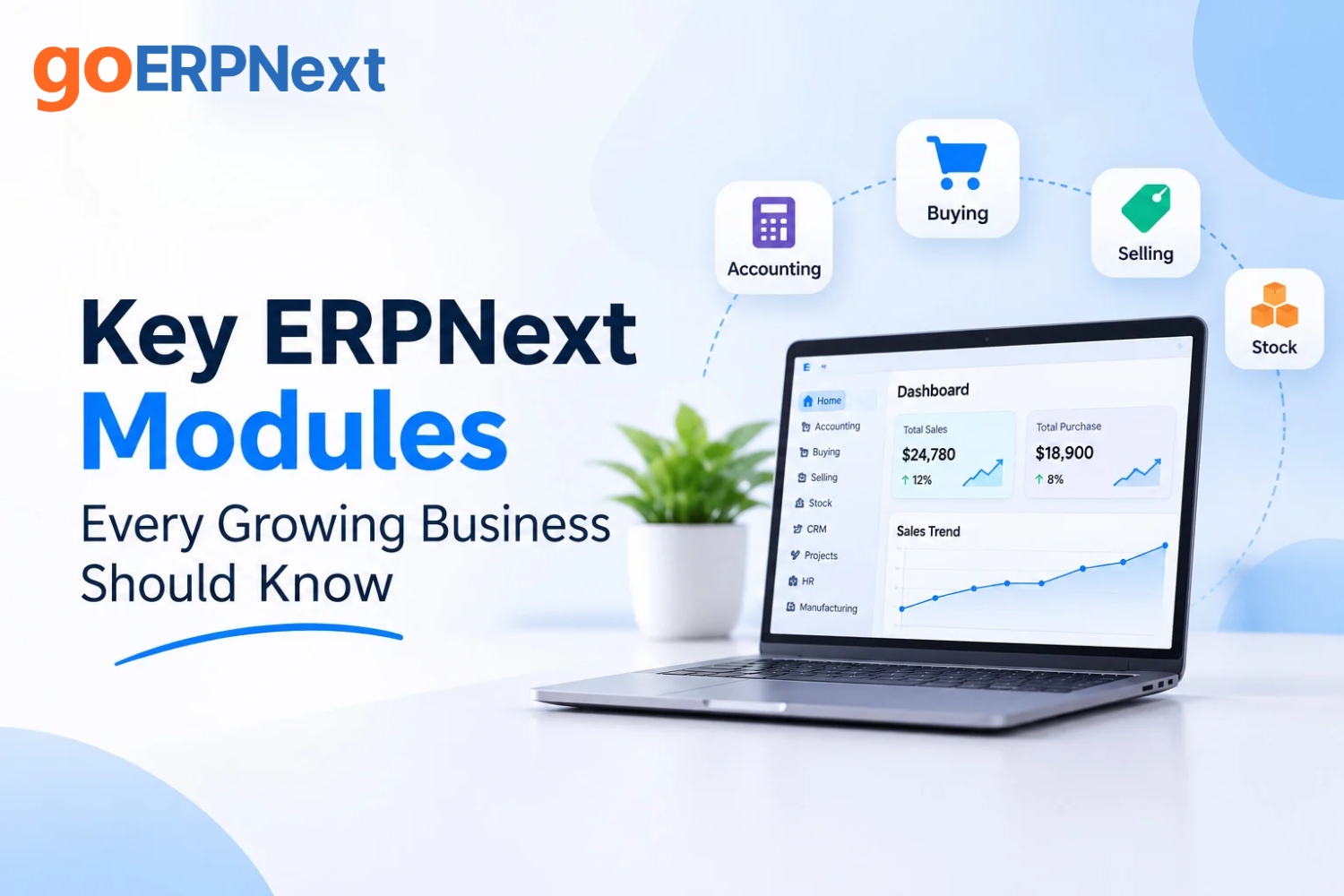
Scaling a business requires more than just increased sales; it demands a robust digital infrastructure that can handle complexity without slowing down operations. For many organizations, identifying the Key ERPNext Modules is the first step toward building this infrastructure. ERPNext offers a vast array of functionalities, but for a growing enterprise, the challenge lies in selecting and configuring the right tools to support sustainable expansion. By focusing on the core components that drive visibility and efficiency, businesses can transition from fragmented spreadsheets to a unified source of truth. Understanding these essential ERPNext modules for growing businesses allows stakeholders to prioritize their implementation roadmap and avoid the pitfalls of system bloat.
The beauty of the ERPNext ecosystem is its monolithic yet modular architecture. While all features are part of a single application, you have the flexibility to activate and configure only what you need. This approach prevents the confusion that often arises when users are presented with too many unused fields and forms. As an implementation manager, your goal is to map business processes to specific DocTypes within these modules, ensuring that every piece of data captured serves a purpose in reporting or workflow automation. This guide explores the foundational modules that form the backbone of a professional ERPNext setup, providing a core ERPNext modules implementation guide for those ready to scale.
Accounting: The Foundation of Your Business ERP
The ERPNext Accounting module is frequently the first module implemented because it serves as the financial heartbeat of the entire system. In ERPNext, accounting is not an isolated function; it is integrated with every other module. When you receive stock, a ledger entry is created. When you make a sale, the system automatically updates your accounts receivable. This integration is what makes it one of the most critical Key ERPNext Modules for any business seeking real-time financial clarity.
The cornerstone of this module is the Chart of Accounts (COA). Unlike legacy systems where the COA is a static list, ERPNext allows for a hierarchical structure that can be customized to match your specific reporting needs. For a growing business, setting up the COA correctly is vital. You must decide whether to use a distributed approach with many sub-accounts or a leaner structure supplemented by “Cost Centers” and “Accounting Dimensions.” Dimensions are particularly useful for tracking profitability across different departments, projects, or locations without cluttering the main ledger.
Key DocTypes within the accounting module include:
- Sales and Purchase Invoices: These represent the primary source of financial transactions and are linked directly to customer and supplier balances.
- Journal Entry: Used for manual adjustments, depreciation, and opening balances.
- Payment Entry: A versatile tool for recording both incoming and outgoing payments, facilitating easy bank reconciliation.
- Tax Templates: Automated calculation of VAT, GST, or local sales taxes based on predefined rules.
One common mistake in the ERPNext Accounting module setup is failing to define the “Company” defaults correctly. Ensure your “Default Bank Account, Default Receivable Account, and “Default Income Account” are set before you begin migrating data. Without these, the system will prompt users for manual input during every transaction, increasing the likelihood of human error.
Stock: Real-time Inventory and Warehouse Management
Effective ERPNext Stock Management is essential for businesses that handle physical goods. As a business grows, the complexity of managing multiple warehouses, tracking batches, and ensuring stock availability becomes a significant hurdle. ERPNext addresses this by providing a granular view of inventory movements. This module ensures that your physical reality matches your digital records, which is crucial for maintaining customer trust and operational efficiency.
In ERPNext, everything begins with the “Item” DocType. A well-organized Item Master is the secret to successful inventory management. You should use “Item Groups” to categorize products and “UOM (Unit of Measure) Conversions” to handle scenarios where you buy in bulk (e.g., pallets) but sell in units (e.g., pieces). For businesses with high-value or perishable goods, activating “Serial Numbers” or “Batch Tracking” is a non-negotiable step.
The “Stock Ledger” provides a chronological history of every movement, from “Stock Entry” (for internal transfers or wastage) to “Delivery Note” (for customer shipments). For growing businesses, the “Auto Reorder” feature is a standout tool. By setting a “Reorder Level” and “Reorder Quantity” in the Item DocType, ERPNext can automatically generate “Material Requests” when stock falls below a certain threshold, ensuring you never miss a sale due to stockouts.
When considering the best ERPNext modules for small to medium enterprises, stock management often ranks at the top because it directly impacts cash flow. A common oversight is not utilizing the “Warehouse” tree structure effectively. Instead of a flat list, organize warehouses by geography or function (e.g., Raw Materials vs. Finished Goods) to improve reporting accuracy and physical audit speed.
Buying and Selling: Automating the Supply Chain
The ERPNext Buying and Selling modules are designed to manage the lifecycle of a transaction, from the first touchpoint with a supplier or customer to the final delivery. These modules act as the glue between inventory and accounting. Automation here is not just about saving time; it is about establishing a standardized process that remains consistent even as your team grows.
In the Buying module, the workflow typically starts with a “Material Request,” which can be converted into a “Request for Quotation” (RFQ) sent to multiple suppliers. Once quotes are received, they can be compared using the “Supplier Quotation” tool to ensure you are getting the best value. The final “Purchase Order” (PO) then serves as a legal commitment and a reference point for the “Purchase Receipt” and “Purchase Invoice.”
The Selling module follows a parallel path. It starts with a “Quotation” sent to a lead or customer. If accepted, this becomes a “Sales Order.” A major advantage for growing businesses is the ability to check “Gross Profit” at the Sales Order level. This allows managers to verify margins before a deal is finalized. The “Sales Partner” and “Sales Commission” features are also invaluable for businesses that rely on external agents or have complex internal commission structures.
To implement these modules effectively, focus on the “Workflow” feature in ERPNext. You can create custom approval gates for Purchase Orders exceeding a certain amount, ensuring that senior management maintains control over expenditure without becoming a bottleneck for routine purchases.
CRM and HR: Managing Relationships and People
While accounting and stock manage the “what” and “how” of your business, CRM and HR manage the “who.” A professional ERPNext CRM setup is vital for converting prospects into loyal customers. The CRM module allows you to track “Leads” and “Opportunities,” ensuring that no potential deal is forgotten. By using “Email Campaigns” and “Lead Sources,” marketing teams can analyze which channels are providing the best return on investment.
On the internal side, ERPNext HR and Payroll provides a comprehensive suite for managing the employee lifecycle. As a business scales from 10 to 100+ employees, manual payroll processing becomes a liability. ERPNext automates this through “Salary Structures” and “Salary Slips,” which pull data directly from the “Attendance” and “Leave” modules. The “Employee” DocType serves as a central repository for contracts, identification documents, and performance reviews.
For a growing business, the “Expense Claim” feature is particularly useful. It allows employees to submit their own expenses via a mobile-friendly interface, which can then be approved by managers and reimbursed through the accounting module. This reduces the administrative burden on the finance team and improves employee satisfaction through faster processing.
| Module | Core DocTypes | Growth Benefit |
|---|---|---|
| Accounting | Sales Invoice, Journal Entry, Payment Entry | Financial transparency and automated tax compliance. |
| Stock | Item, Stock Entry, Delivery Note | Reduced wastage and optimized inventory levels. |
| Buying/Selling | Purchase Order, Sales Order, Quotation | Standardized supply chain and improved lead conversion. |
| HR and Payroll | Employee, Salary Slip, Leave Application | Automated payroll and centralized employee data. |
How to Choose ERPNext Modules for Scaling
The temptation when starting with ERPNext is to turn everything on at once. However, a successful implementation requires a phased approach. Knowing how to choose ERPNext modules for scaling involves assessing your biggest pain points. If your cash flow is a mystery, start with Accounting. If your warehouse is in chaos, prioritize Stock. Most growing businesses find success by implementing the core modules (Accounting, Stock, Buying, Selling) first, then layering on specialized modules like HR, CRM, or Project Management.
Consider the following criteria when selecting your next module to activate:
- Data Dependency: Does the new module rely on data from a module you haven’t set up yet? For example, you cannot effectively use the Manufacturing module without first mastering Stock and Items.
- Team Readiness: Do you have a “Module Champion” who understands the business process and can take ownership of the configuration?
- Immediate ROI: Will this module solve a problem that currently costs the business time or money every single day?
- Process Maturity: Is your internal process stable enough to be codified into a workflow, or is it still changing too rapidly for an ERP?
By following a core ERPNext modules implementation guide, you ensure that each stage of the rollout is stable before moving to the next. This phased approach minimizes disruption and allows users to build confidence in the system. Remember, an ERP is only as good as the data entered into it; training your team on one module at a time leads to much higher data integrity.
Best Practices for Activating New Modules
Activating Key ERPNext Modules is just the beginning. To ensure they deliver value, you must follow best practices for configuration and maintenance. One of the most important steps is the configuration of “User Permissions” and “Role Permissions.” As you add more modules, the number of users in the system will grow. You must ensure that an HR clerk cannot see financial statements and a warehouse picker cannot change sales prices. ERPNext offers a robust “Role Permissions Manager” that allows for granular control over who can create, read, update, or delete specific DocTypes.
Another best practice is the use of “Custom Fields” and “Custom Scripts.” While ERPNext covers 90% of business needs out of the box, every growing business has unique requirements. Instead of trying to force your business into the software, use the built-in customization tools to add fields that capture essential data points. However, be cautious: over-customization can make future upgrades more difficult. Stick to standard features as much as possible and only customize where it adds significant operational value.
Finally, always perform “Data Cleaning” before importing records into a new module. If you are moving from an old CRM to ERPNext CRM, take the time to merge duplicate leads and update contact information. Moving “dirty” data into a new system is the fastest way to lose user trust. Use the “Data Import” tool to test a small batch of records first, ensuring that all links and mandatory fields are correctly mapped.
Common Implementation Pitfalls to Avoid
Even with the best intentions, implementing Key ERPNext Modules can go wrong if certain technical and procedural steps are ignored. One common pitfall is ignoring the “Naming Series.” ERPNext allows you to define how your documents are numbered (e.g., PO-2023-0001). If you don’t set this up correctly at the start, you may end up with inconsistent numbering that makes searching and auditing difficult later on.
Another mistake is failing to set up “Global Defaults” in the System Settings. These settings control everything from the currency symbol to the time zone and date format. If these are incorrect, it can lead to confusion in reports and discrepancies in time-sensitive transactions like “Stock Ledger” entries. Always verify your “Regional Settings” before you go live with any module.
Lastly, many businesses neglect the “Dashboard” and “Report” features. ERPNext provides excellent standard reports like the “Financial Statements,” “Stock Balance,” and “Sales Analytics.” However, managers often need custom views to make decisions. Take the time to create “Report Views” and pin them to the workspace of the relevant users. This ensures that the data being captured in the modules is actually being used to drive the business forward.
Practical Scenario: Scaling an E-commerce Business
Imagine a small e-commerce brand that has outgrown its basic accounting software. They decide to implement ERPNext to manage their growth. Their implementation starts with the ERPNext Accounting module to track their multi-currency sales and the ERPNext Stock Management module to track inventory across three different regional warehouses.
Initially, they only used the Stock module to record “Stock Entries.” But as they scaled, they activated the ERPNext Buying and Selling modules to automate their procurement. Now, when a customer places an order on their website, it automatically generates a “Sales Order” in ERPNext. The system checks the inventory and, if stock is low, triggers a “Material Request” for the purchasing team. This seamless flow between Key ERPNext Modules reduced their order processing time by 40% and eliminated manual data entry errors between their warehouse and finance departments.
As their team grew from 5 to 25 people, they introduced ERPNext HR and Payroll. This allowed them to manage employee contracts and automate monthly salary payments, which previously took the founder two days every month. By choosing the right modules at the right time, the business was able to scale its operations without a linear increase in administrative costs.
Frequently Asked Questions
Can I use the HR module without the Accounting module?
While you can record employee data and attendance without accounting, you will not be able to process payroll “Salary Slips” into your general ledger. To get the full value of the HR module, it is highly recommended to have the basic accounting setup completed so that payroll expenses are correctly reflected in your financial statements.
Is it possible to customize the fields in the Stock module?
Yes, ERPNext is highly customizable. You can use the “Customize Form” tool to add custom fields to the “Item” or “Stock Entry” DocTypes. This is useful for tracking industry-specific data points, such as material composition or specific quality control parameters, without needing to write complex code.
How does ERPNext handle multi-currency transactions in the Selling module?
ERPNext has native multi-currency support. You can define a “Price List” in a foreign currency and link it to a customer. When you create a “Quotation” or “Sales Order,” ERPNext will use the current exchange rate to calculate the base currency equivalent for your accounting records while maintaining the transaction in the customer’s currency.
What is the difference between a Lead and a Customer in the CRM module?
A “Lead” is a prospect who has shown interest but has not yet made a purchase. Once a Lead is ready to buy, you “convert” them into a “Customer.” This distinction is important because “Customers” are linked to the Accounting module for invoicing, whereas “Leads” are purely for sales tracking and marketing purposes.
Grow Your Business with GoERPNext
Navigating the various Key ERPNext Modules can be a daunting task for any growing business. Whether you are just starting your implementation journey or looking to optimize your existing setup, GoERPNext is here to support you. Our community offers a wealth of restructured documentation that makes complex technical concepts easy to understand. If you encounter hurdles during your ERPNext CRM setup or need advice on the best way to configure the ERPNext HR and Payroll module, our discussion forum is the perfect place to connect with experts and fellow users.
For businesses that require a more structured approach, we invite you to explore our implementation guides and blog for deeper insights into specific workflows. At GoERPNext, we believe that the right knowledge is the key to a successful ERP rollout. Visit our forum today to share your experiences or ask questions about how to choose the best modules for your unique business needs. Let’s build a more efficient future together on the GoERPNext platform.
Conclusion
The journey to scaling a business is paved with operational challenges, but with the right Key ERPNext Modules, those challenges become manageable. By focusing on the integrated power of Accounting, Stock, Buying, Selling, CRM, and HR, you create a digital foundation that supports growth rather than hindering it. The key to success lies in a phased implementation, clean data migration, and a commitment to understanding the core DocTypes that drive each module. As you move forward, remember that ERPNext is a tool meant to evolve with you. Regularly review your module usage and stay engaged with the GoERPNext community to ensure you are always getting the most out of your ERP investment. With a strategic approach to module selection and configuration, your business will be well-equipped to handle the complexities of the modern marketplace.