
HR Reports in Frappe HR
Frappe HR provides a wide range of built-in reports that help HR teams, payroll administrators, and managers monitor employee information, attendance, payroll, exits, loans, and other workforce-related activities. These reports provide valuable insights and make it easier to track important HR metrics from a single location.
Below are some of the most commonly used HR reports available in Frappe HR.
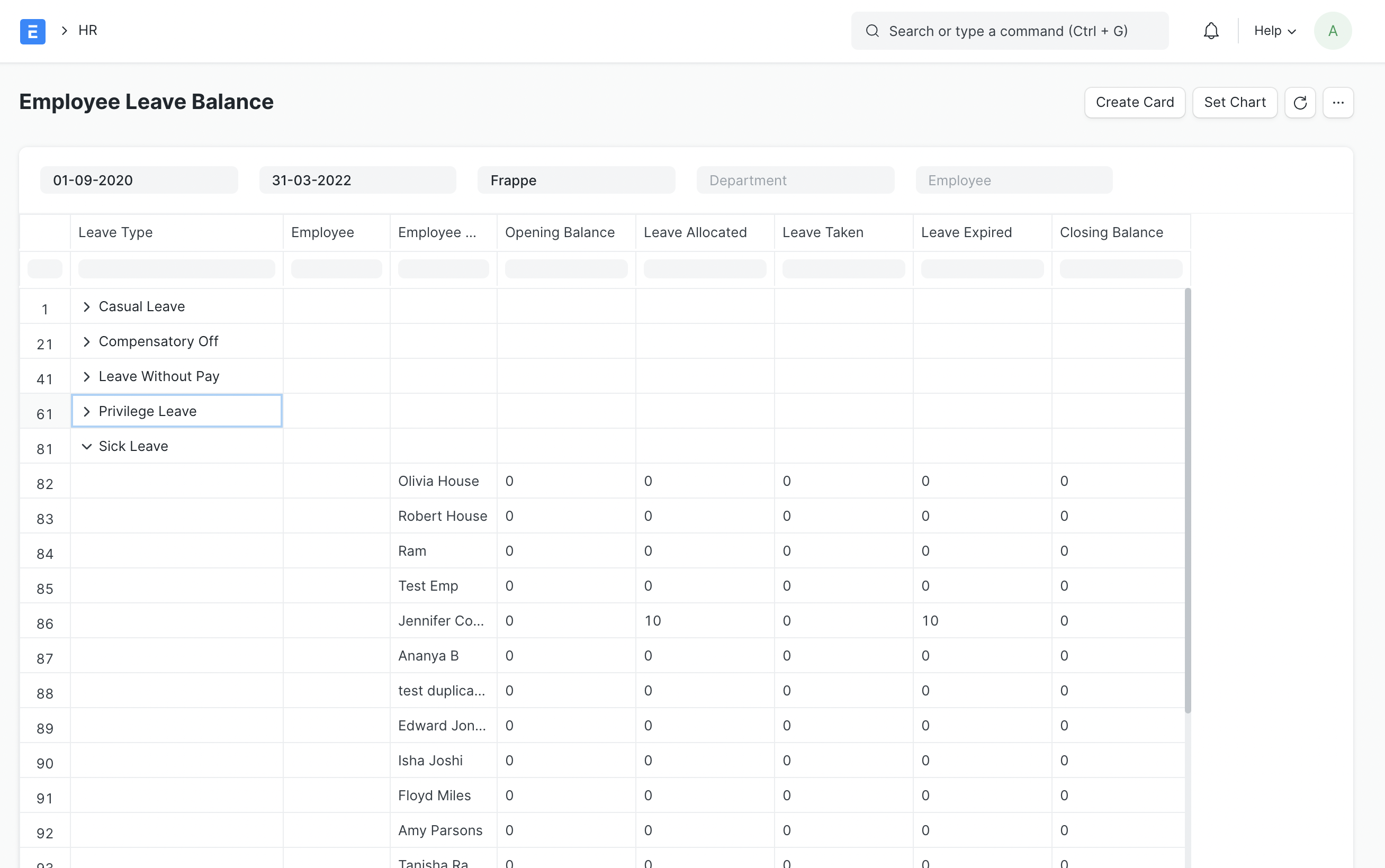
1. Employee Leave Balance
The Employee Leave Balance Report provides an overview of leave allocations and remaining leave balances for employees. It helps HR teams monitor available leave quotas and manage leave planning more effectively.
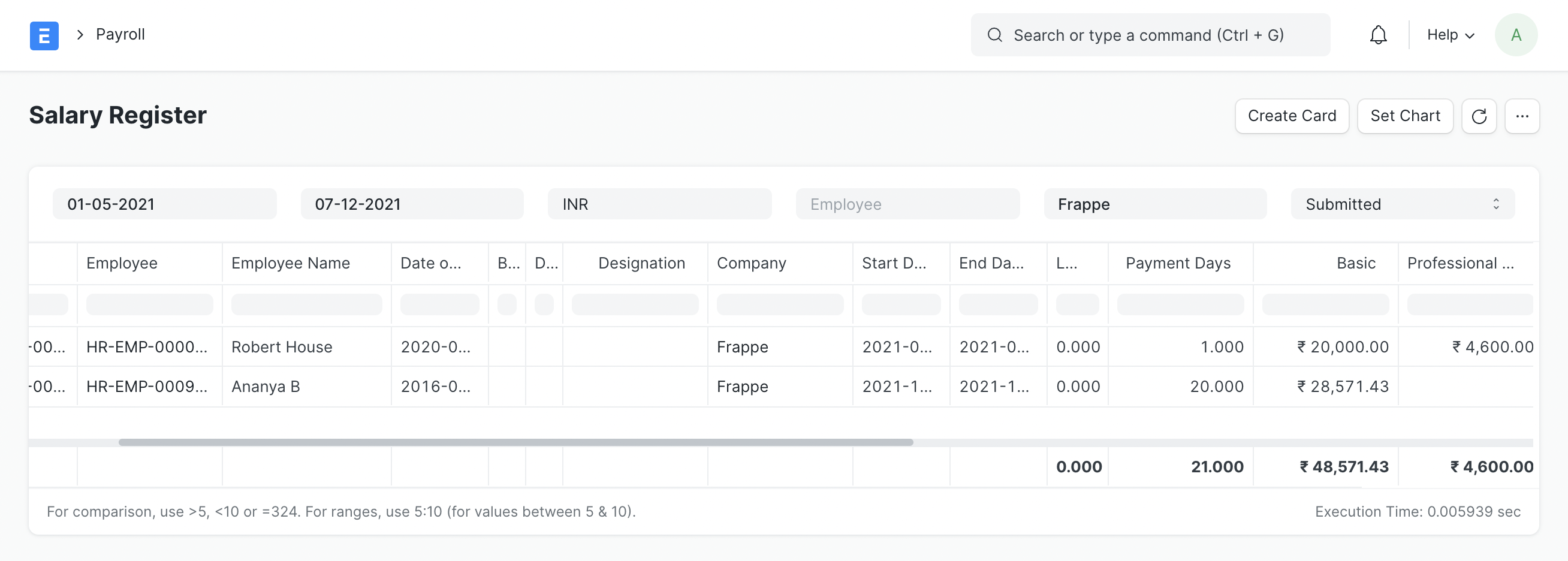
2. Salary Register
The Salary Register provides a consolidated view of employee salary information. It displays the net pay along with salary components for one or multiple employees, making payroll review and analysis much easier.
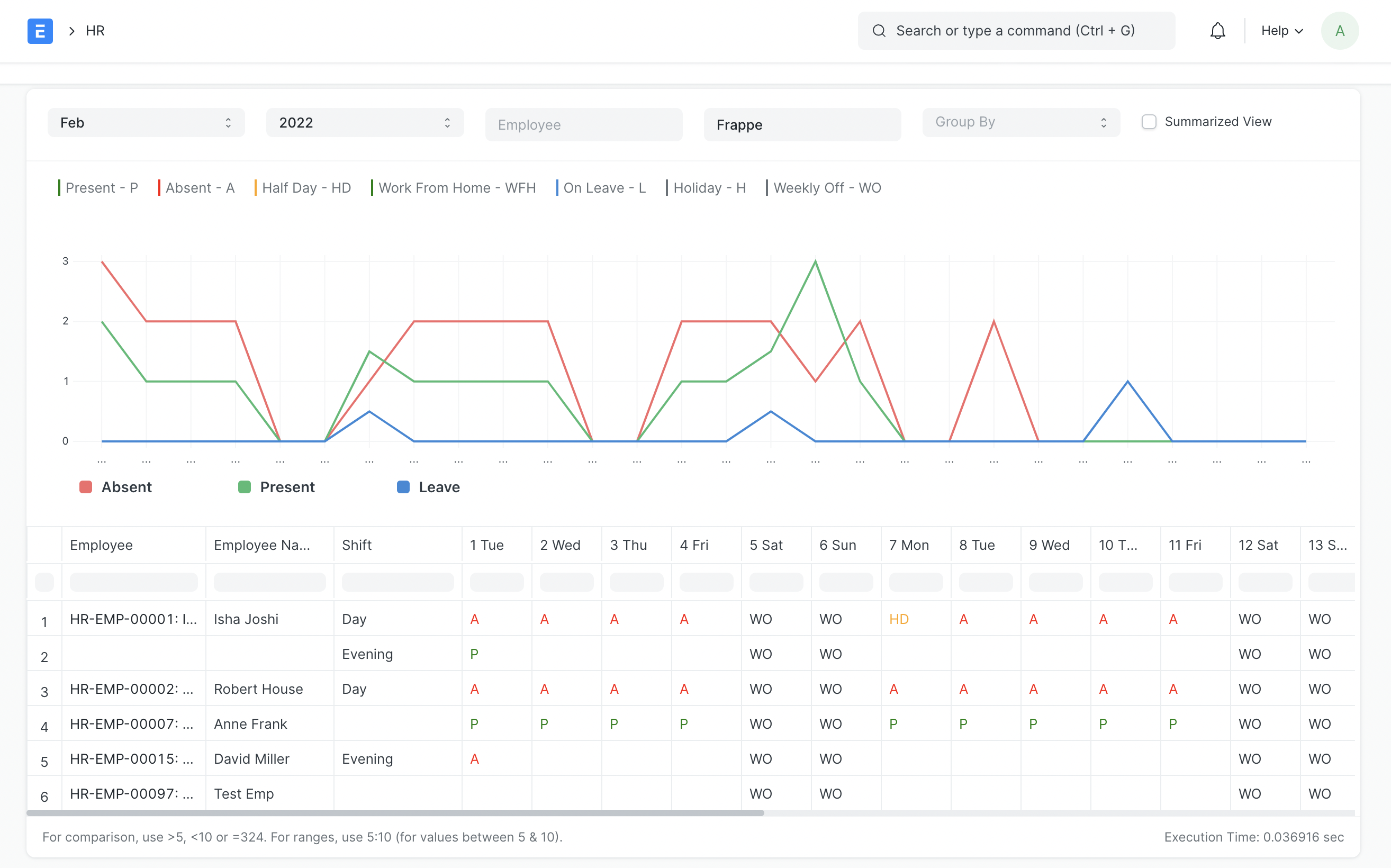
3. Monthly Attendance Sheet
The Monthly Attendance Sheet gives an employee-wise overview of attendance records for a selected period. If shift assignments are configured, the report can also display shift-specific attendance details for each employee.
If you prefer a summarized attendance view instead of daily attendance records, you can switch to the summarized mode.
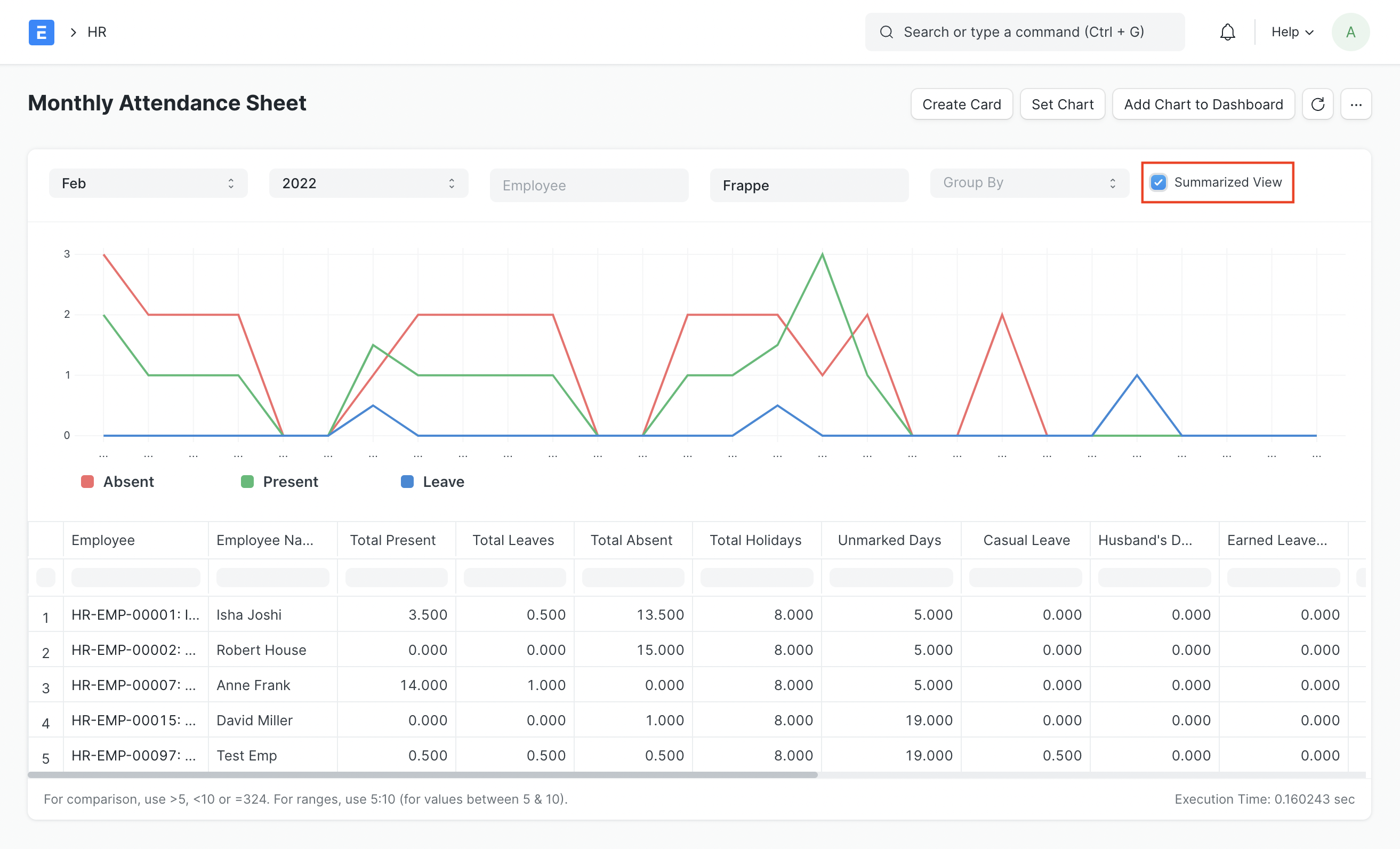
The summarized view displays:
- Total Present Days
- Total Absent Days
- Total Leave Days
- Total Holidays
- Total Unmarked Days
- Leave count by Leave Type
- Total Late Entries
- Total Early Exits
The report can also be grouped based on:
- Department
- Branch
- Designation
- Employee Grade
4. Shift Attendance
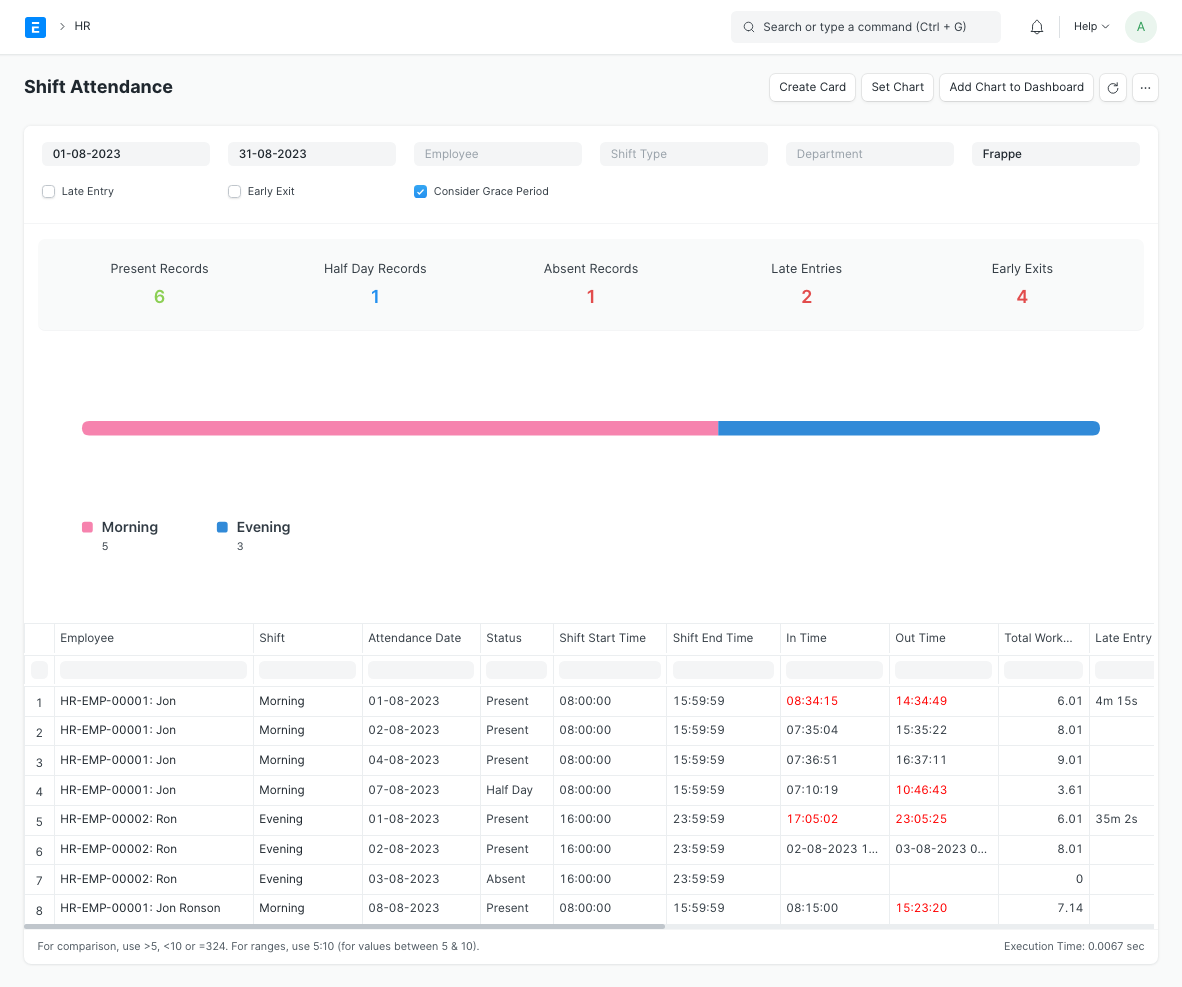
The Shift Attendance Report provides detailed attendance information for employees assigned to shifts. It helps organizations monitor attendance patterns, late entries, and early exits across different shifts.
The report includes:
- Employee Name
- Date
- Attendance Status
- Check-In and Check-Out Time
- Total Working Hours
- Late Entry Duration
- Early Exit Duration
- Shift Name
- Shift Start and End Time
- Actual Shift Start and End Time
Additional filters are available for:
- Shift Type
- Late Entry
- Early Exit
NOTE
The Shift Attendance Report was introduced in Version 15 and is especially useful for organizations that operate multiple shifts or require strict attendance monitoring.
5. Vehicle Expenses Report
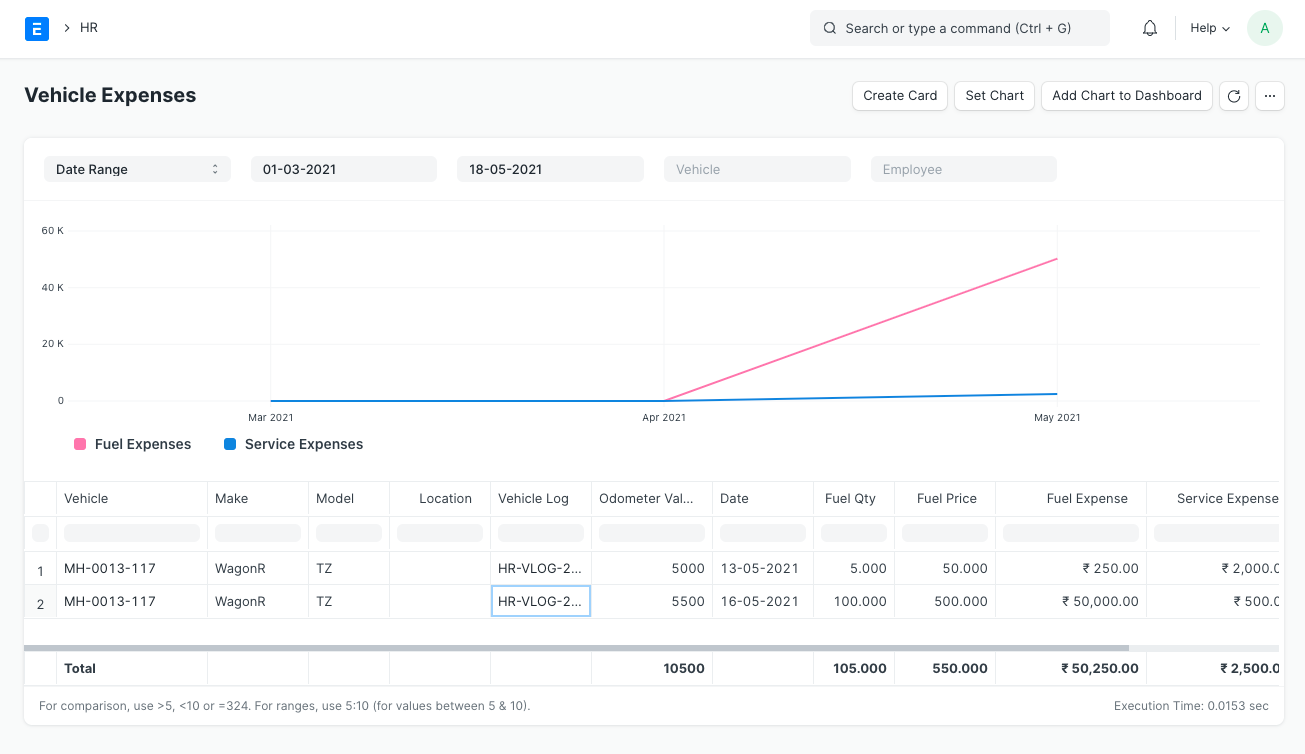
The Vehicle Expenses Report provides a centralized view of all vehicle-related expenses recorded in the system. It helps organizations monitor transportation costs and analyze vehicle expenses on a monthly basis.
6. Employee Exits
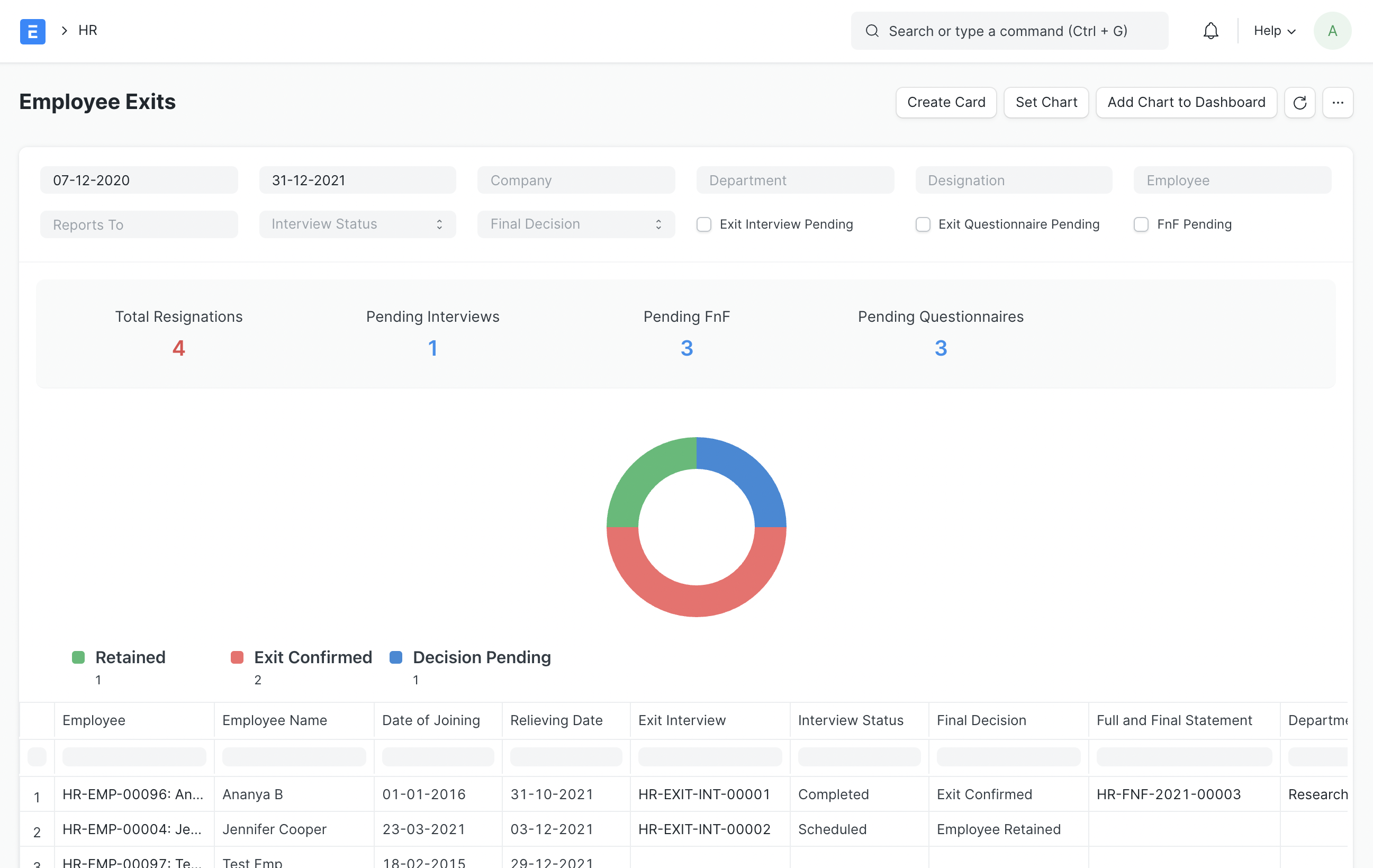
The Employee Exits Report helps HR teams manage and monitor employee separation processes efficiently. It provides a complete overview of exit activities and pending tasks.
The report includes:
- Employee Details
- Reporting Manager
- Date of Joining
- Relieving Date
- Department
- Designation
- Exit Interview Details
- Interview Status
- Final Decision
- Full and Final Settlement Status
Additional filters are available for:
- Interview Pending
- Questionnaire Pending
- Full and Final Settlement Pending
Users can also configure automatic email reports based on these filters to simplify pending exit tracking.
NOTE
The Employee Exits Report was introduced in Version 14 and helps organizations streamline employee offboarding processes.
7. Employee Birthday
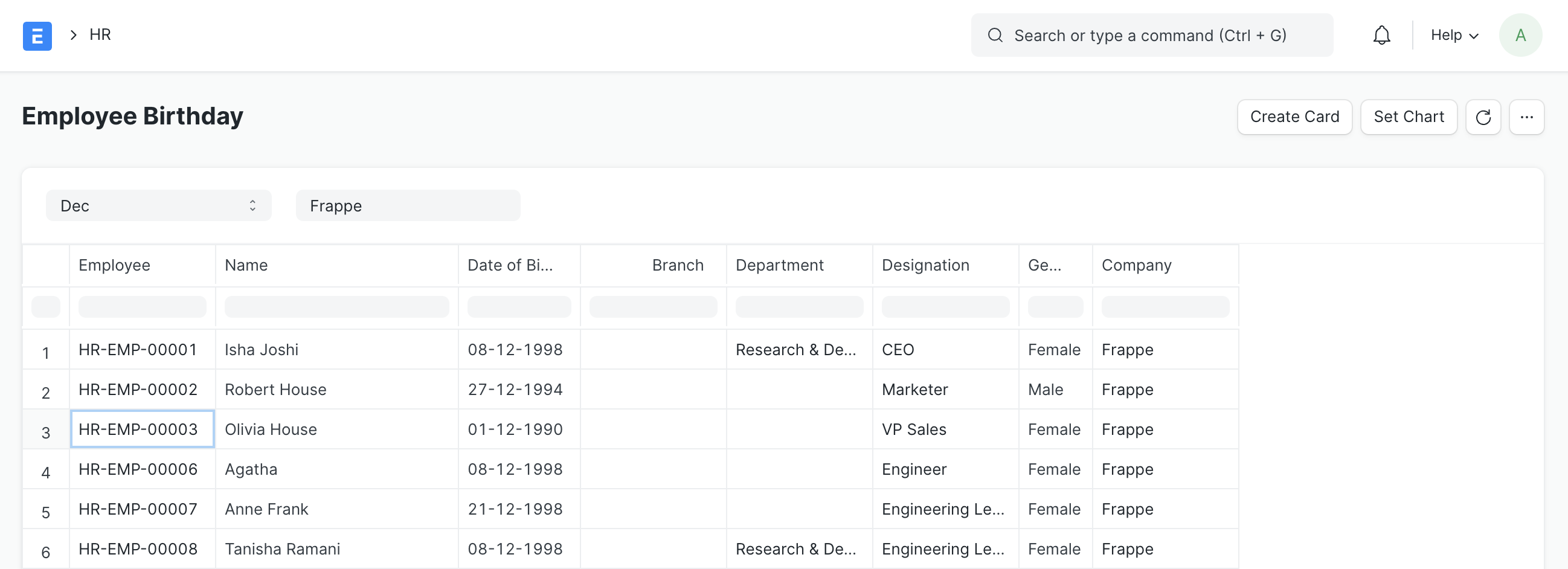
The Employee Birthday Report displays employee birthdays month-wise, helping organizations plan celebrations, engagement activities, and employee recognition programs.
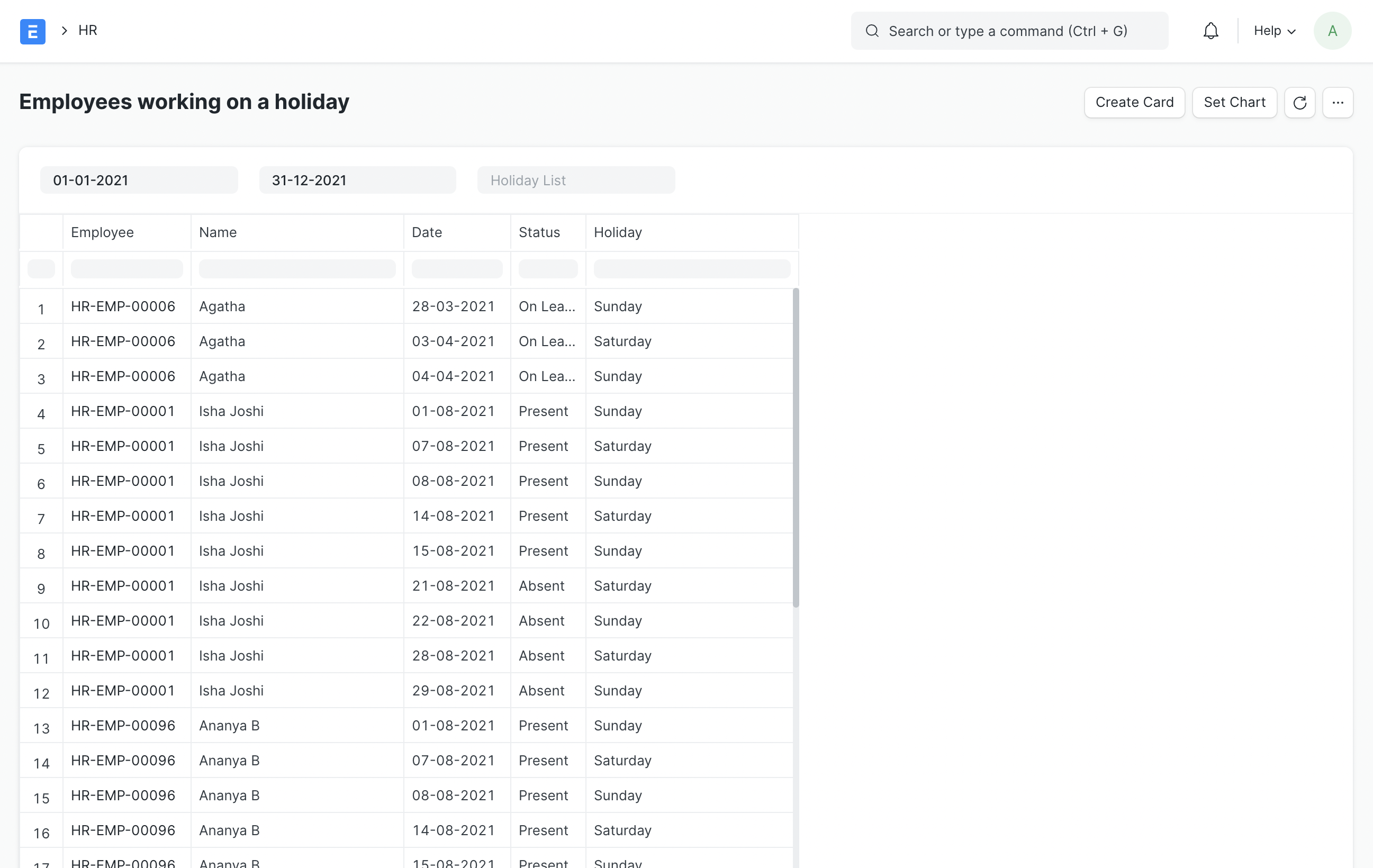
8. Employees Working on a Holiday
The Employee Holiday Attendance Report displays employees who have recorded attendance on designated holidays. This report helps organizations monitor holiday work and manage compensatory benefits where applicable.
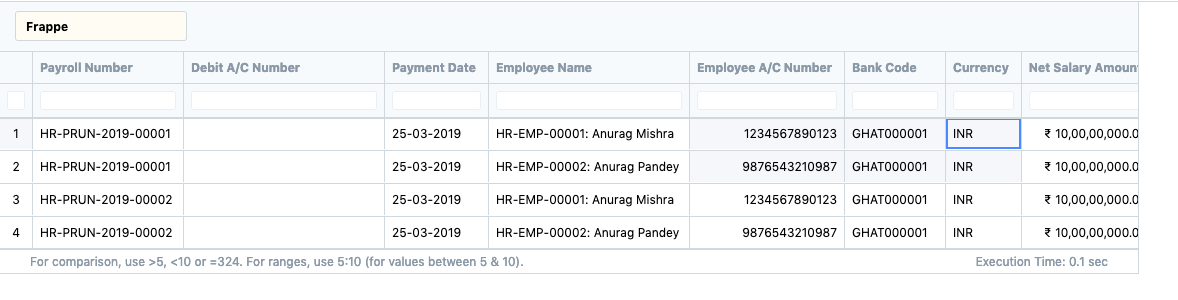
9. Bank Remittance Report
The Bank Remittance Report helps track payroll-related bank transactions between company bank accounts and employee bank accounts. It provides visibility into payment dates and payroll transfers for easier financial reconciliation.
10. Loan Repayment Report
The Loan Repayment Report helps organizations monitor employee loan repayments by displaying:
- Loan Amount
- Interest Amount
- Total Payable Amount
- EMI Details
- Paid Amount
- Outstanding Amount
This report makes it easier to track loan recovery progress and outstanding liabilities.
TIP
Many HR reports can be filtered, grouped, exported, or scheduled as automatic email reports. Using these features can significantly reduce manual reporting effort and improve workforce visibility across the organization.
Related Topics
- Attendance
- Leave Management
- Payroll
- Employee Lifecycle
- Shift Management
- Employee Loans
- HR Analytics
SUMMARY
Frappe HR offers a comprehensive collection of reports covering leave balances, payroll, attendance, shifts, vehicle expenses, employee exits, birthdays, holiday attendance, bank remittances, and loan repayments. These reports provide valuable operational insights, improve workforce management, and help HR teams make informed decisions through accurate and centralized reporting.

