
Restrict Leave Approvers to View Leave Applications Only Within Their Department
A common requirement in many organizations is to ensure that a user with the Leave Approver role can only view and manage leave applications submitted by employees within their own department.
This can be achieved in Frappe HR using a combination of role permissions, user permissions, and department-level leave approver settings.
In this example, we will configure Chris as the Leave Approver for the Research and Development department. Once configured, Chris will only be able to access leave applications raised by employees belonging to that department.
1. Configure Department Access for Leave Approvers
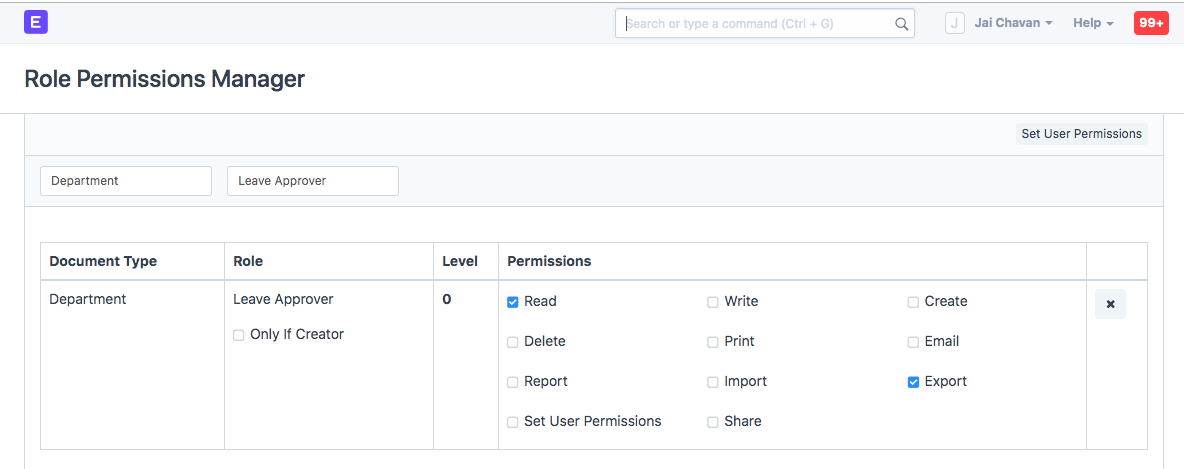
Open the Role Permissions Manager and provide the Leave Approver role with access to the Department DocType.
This allows the system to apply department-based permission rules while displaying leave applications.
2. Create the Leave Approver User
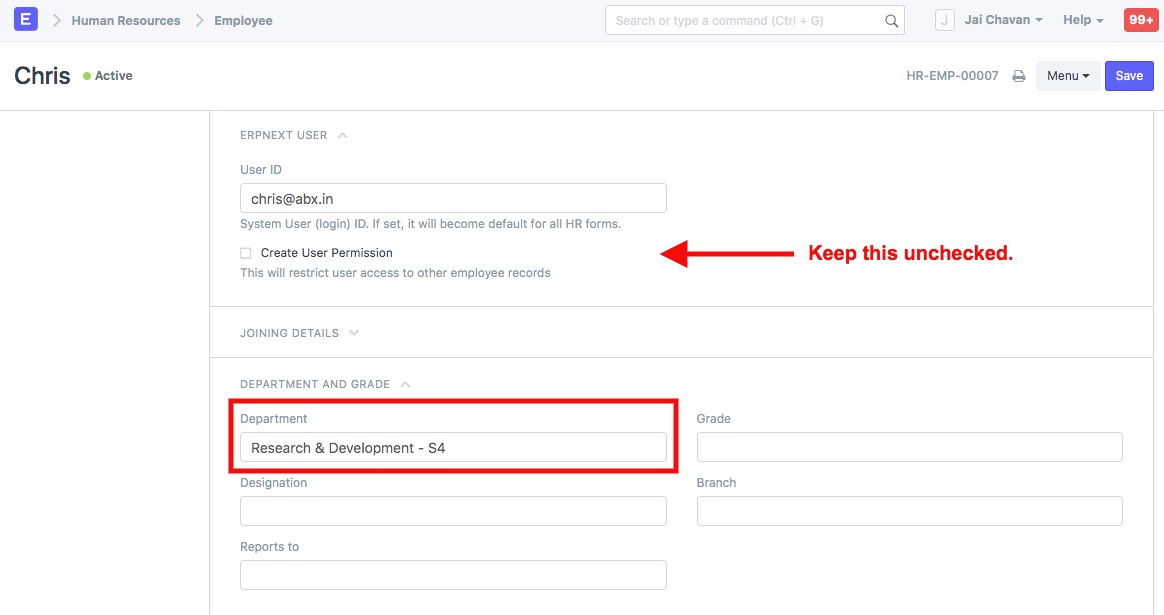
Create a user account and assign the following:
- Leave Approver Role
- Linked Employee Record
In this example, Chris is configured as the Leave Approver.
3. Configure User Permissions
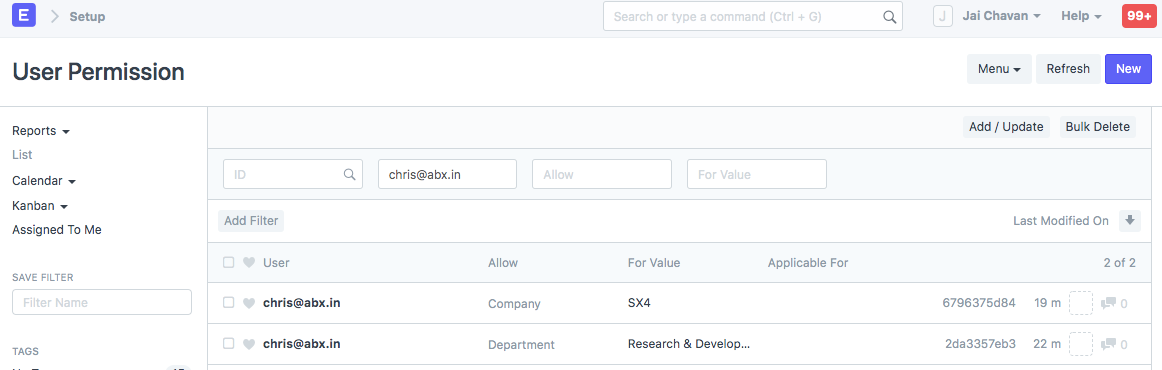
Create the required User Permissions for the Leave Approver based on:
- Company
- Department
- Employee
These permissions ensure that the Leave Approver can only access records related to the assigned company and department.
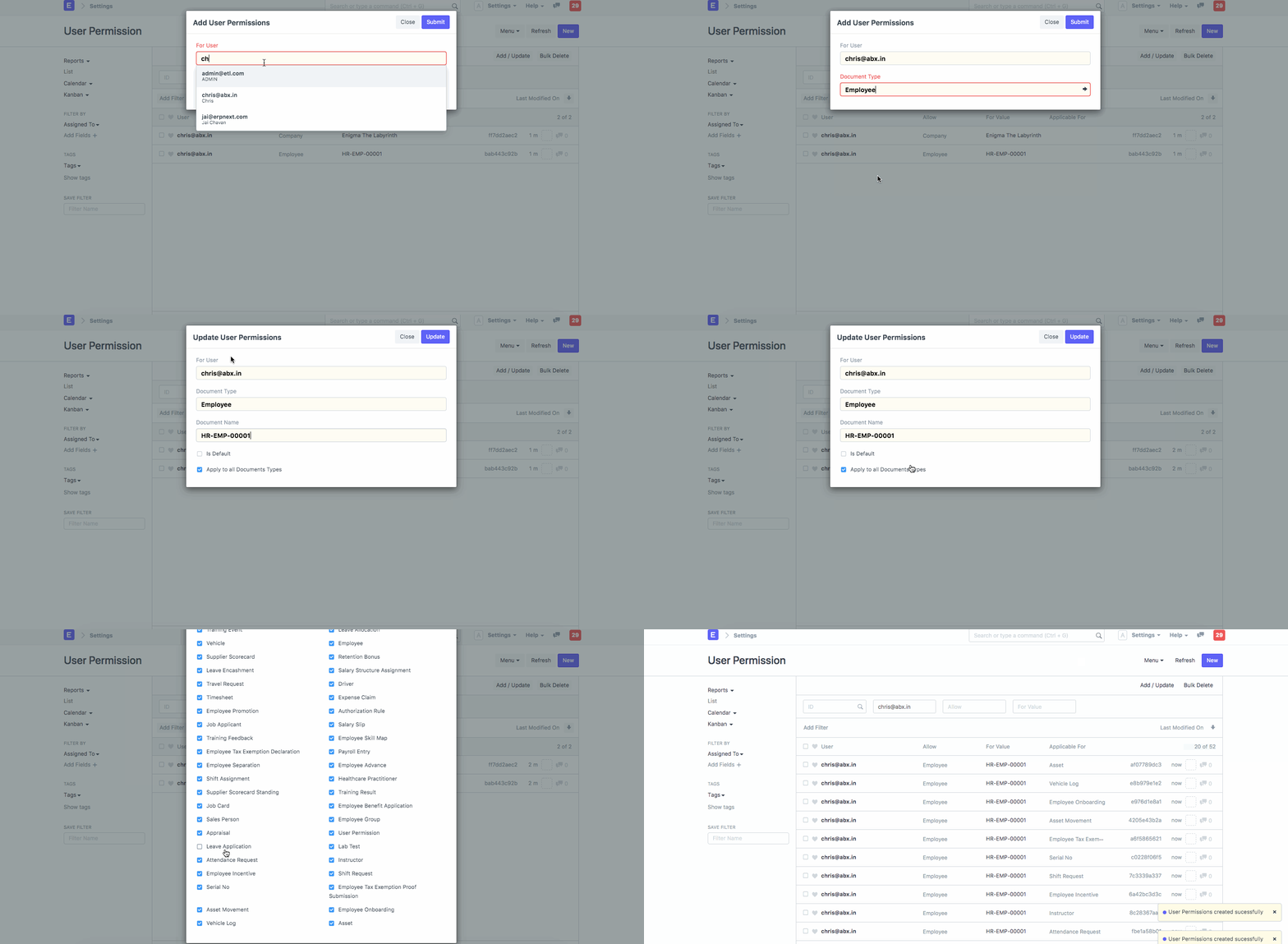
While creating the Employee user permission for Chris, make sure that the Leave Application option remains unchecked. This allows Chris to view leave applications submitted by employees in the department without unnecessarily restricting access.
4. Assign a Leave Approver in the Department
Open the Department master and specify the designated Leave Approver.
In this example, Chris is assigned as the Leave Approver for the Research and Development department.
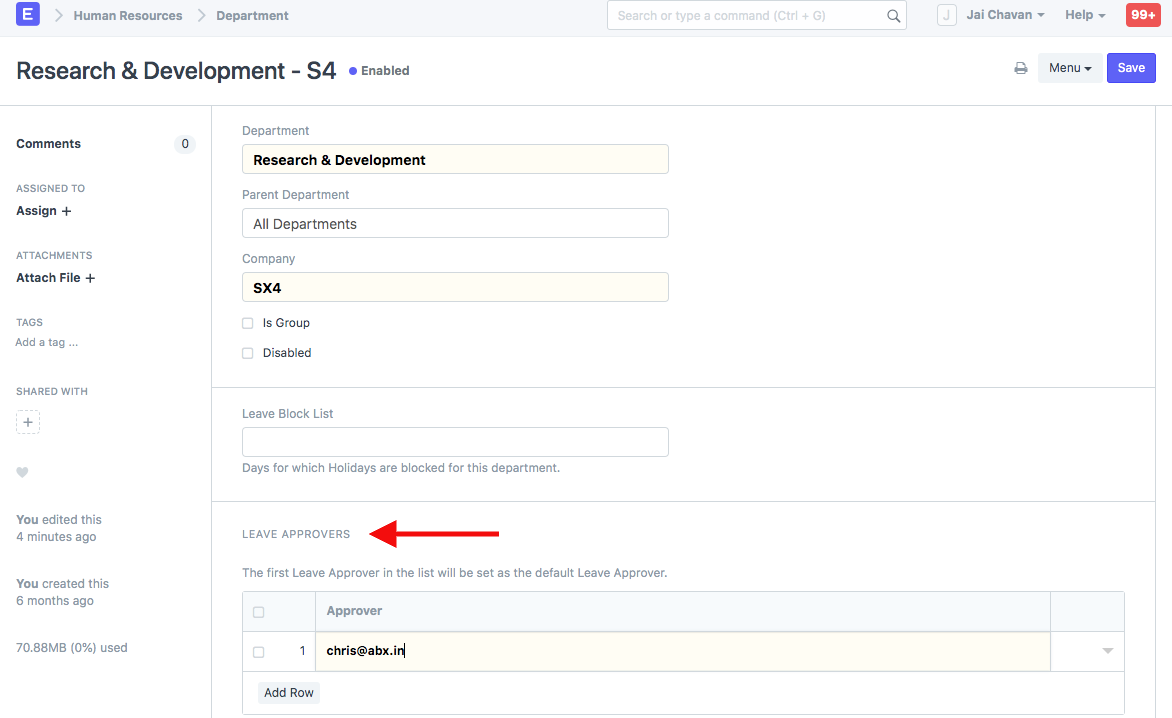
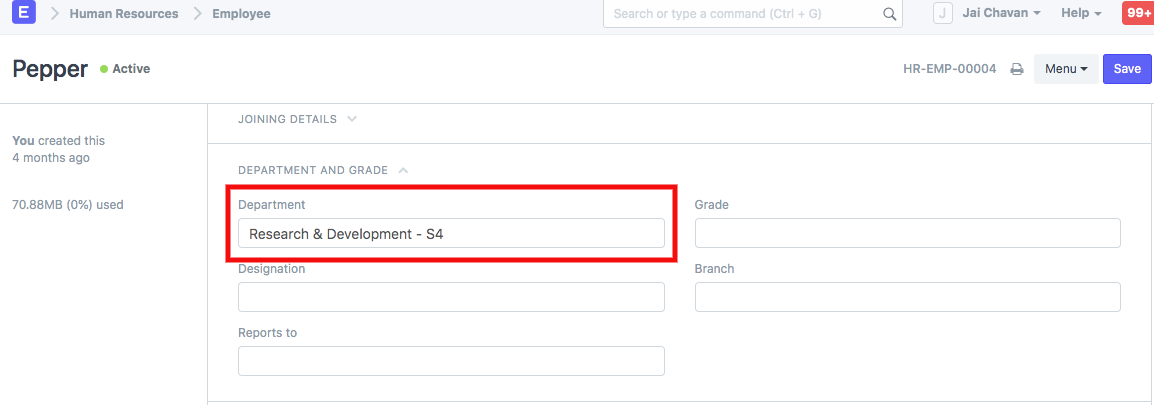
5. Create an Employee Within the Department
Assume there is an employee named Pepper who belongs to the Research and Development department.
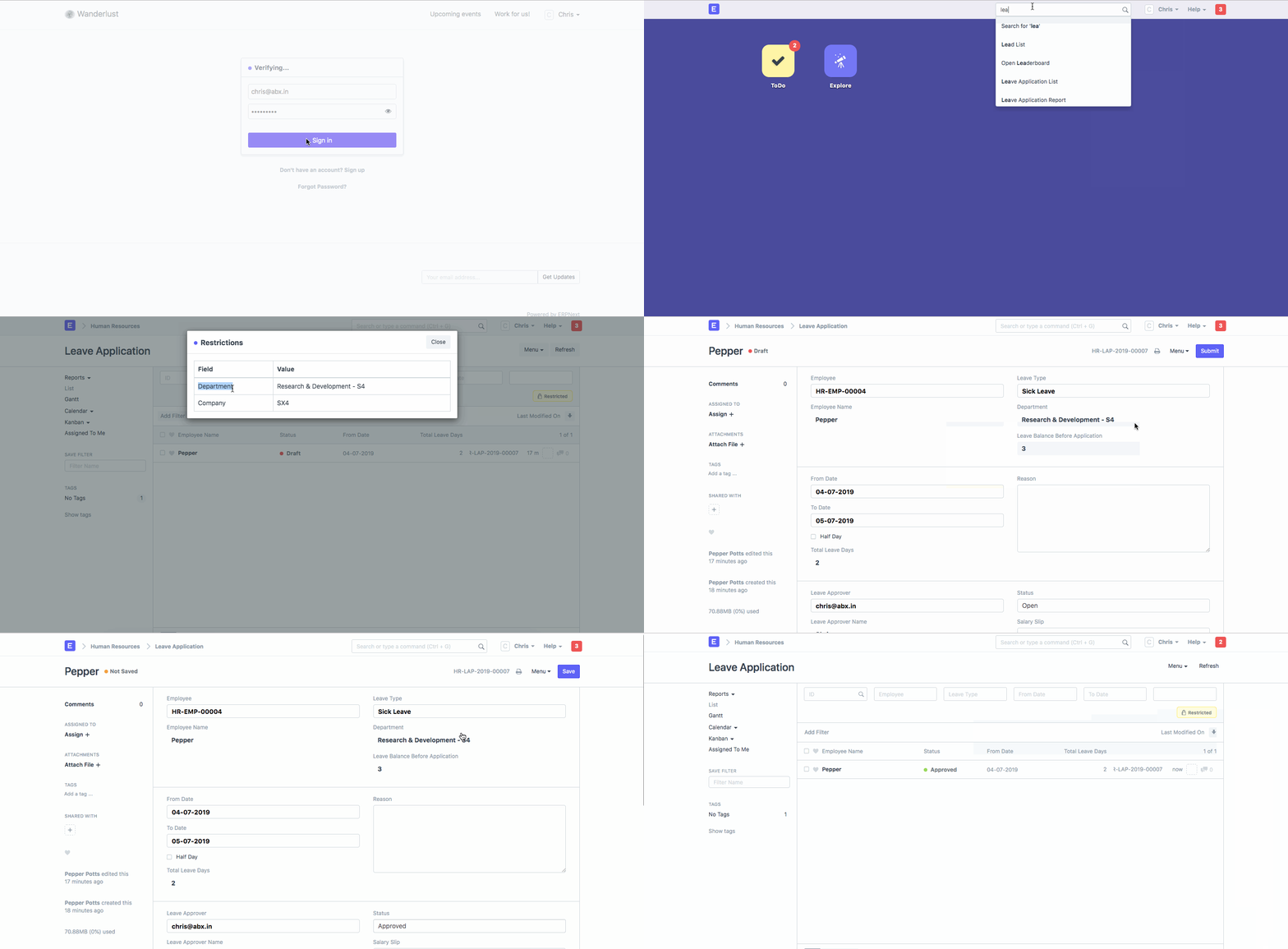
6. Employee Submits a Leave Application
Pepper creates and submits a Leave Application.

7. Leave Approver Views Department Leave Requests
When Chris logs into the system, he can only view Leave Applications submitted by employees belonging to the Research and Development department.
The permission setup automatically filters out leave requests from employees in other departments.
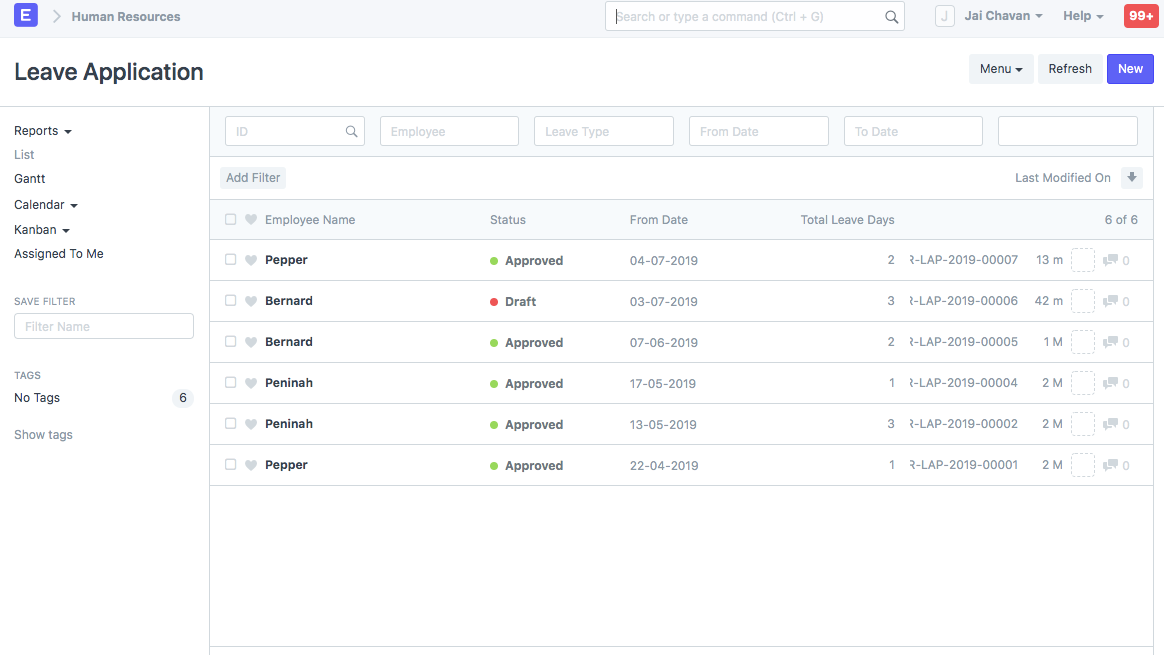
8. System Managers Can View All Leave Applications
Unlike Department Leave Approvers, users with broader administrative permissions such as System Managers can view all leave applications across departments.
NOTE
This setup assumes that leave types, leave allocations, leave policies, and employee records have already been configured correctly. Department-based visibility will only work when the appropriate User Permissions and Department Leave Approver settings are maintained.
TIP
Department-based Leave Approvers are particularly useful for large organizations where multiple departments have independent approval processes. This configuration improves security and ensures approvers only access records relevant to their teams.
Benefits of Department-Based Leave Approval
- Restricts leave visibility to authorized departments.
- Improves data privacy and access control.
- Simplifies leave approval workflows.
- Reduces the risk of unauthorized access to employee records.
- Supports decentralized HR operations across departments.
Related Topics
- Leave Application
- Leave Approver
- Department
- User Permissions
- Role Permissions Manager
- Employee
- Leave Policy
SUMMARY
By combining Department permissions, User Permissions, and Department-level Leave Approver settings, Frappe HR can restrict Leave Approvers to view only the leave applications submitted by employees within their assigned department. This configuration provides better security, cleaner workflows, and more effective departmental leave management.

