
Allow Managers to View Expense Claims and HR Documents of Their Team Members
In Frappe HR, managers can be given access to view the Expense Claims and other HR-related documents submitted by employees who report to them. This access is controlled through the employee reporting structure and user permissions generated by the system.
When the reporting hierarchy is configured correctly, managers can review documents created by their direct and indirect subordinates without requiring additional manual permission settings.
How Employee-Based Permissions Work
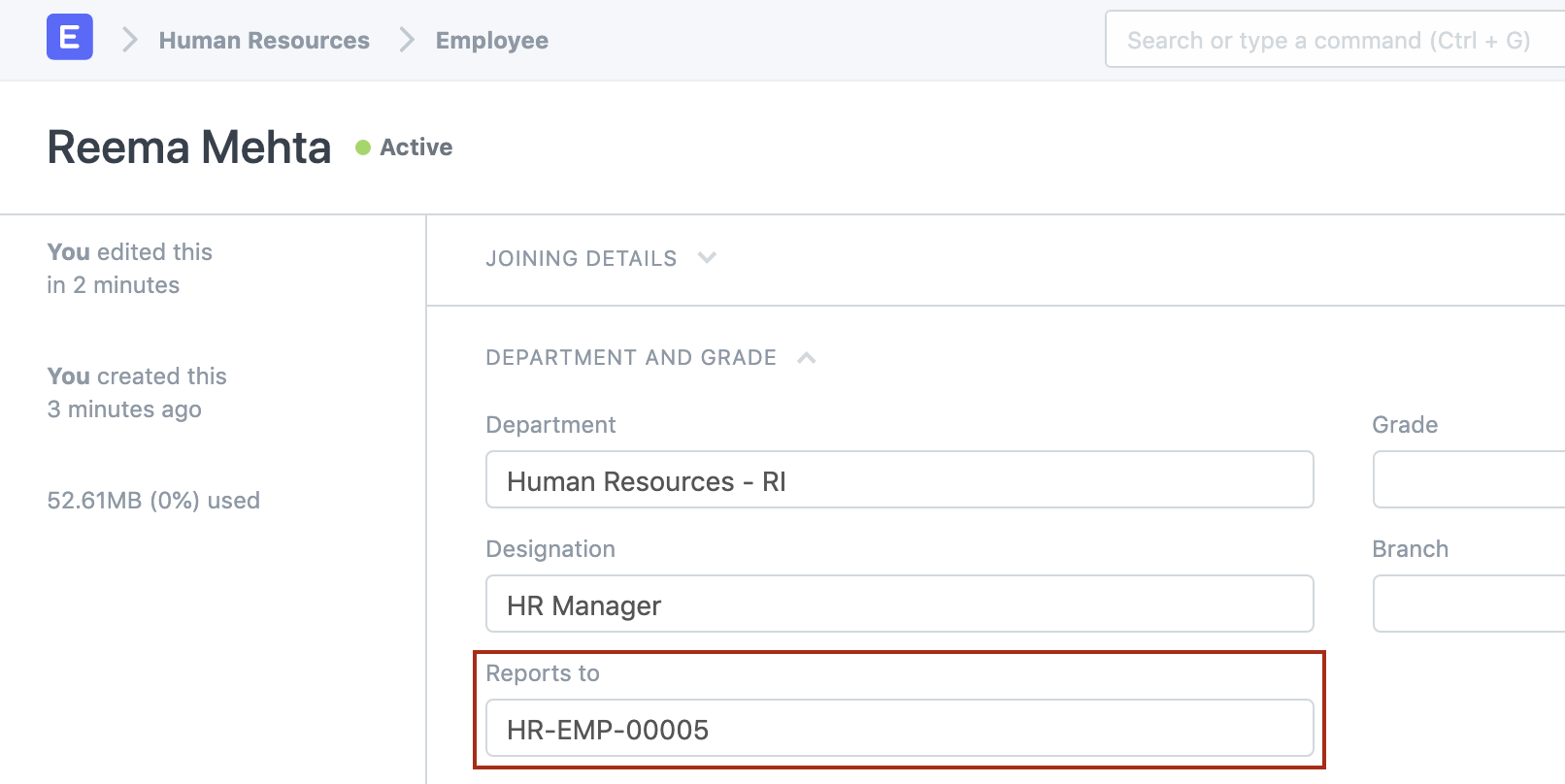
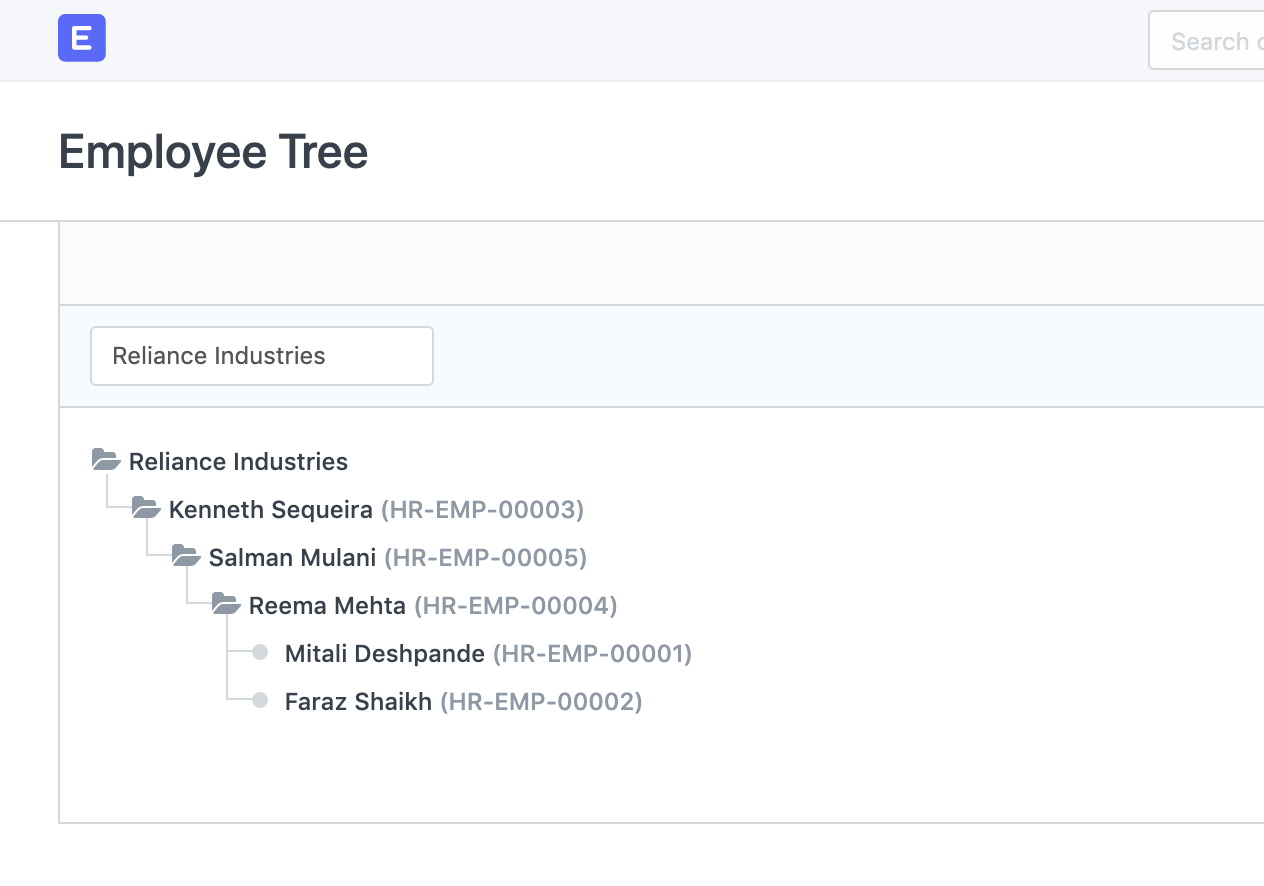
The employee hierarchy in Frappe HR is built using Reports To field in the Employee master.
For each employee, you can specify the manager or senior employee they report to. This creates a reporting structure that the system uses for permission management and document visibility.
Automatic User Permission Creation
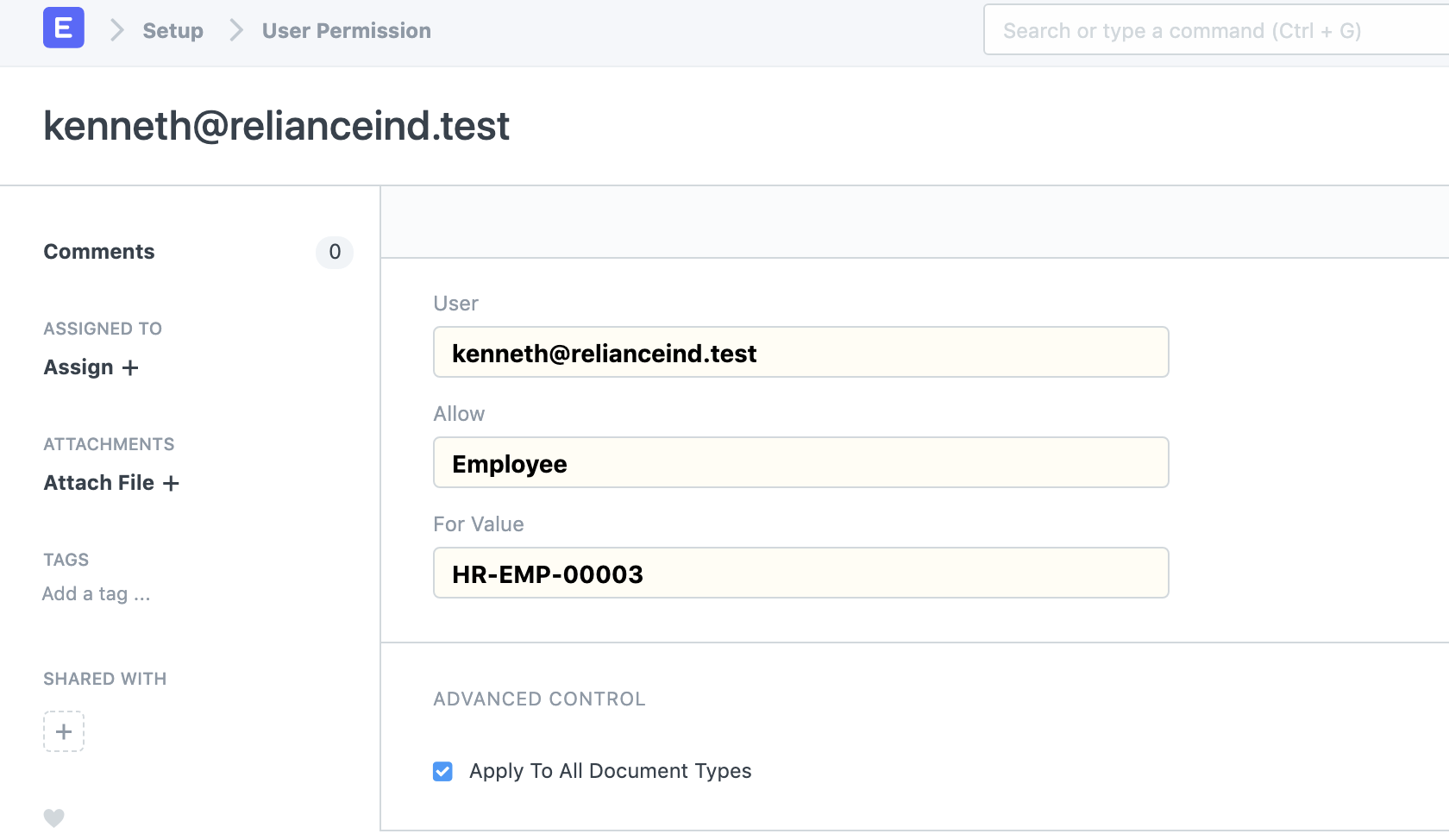
When a system user is linked to an Employee record, Frappe HR automatically creates the necessary employee-based permissions.
These permissions allow users to:
- Access and review their own HR documents.
- View documents created for employees who report to them.
- Manage approval workflows based on the reporting hierarchy.
Expense Claim Visibility
Once the employee hierarchy is configured, managers can automatically access Expense Claims submitted by their team members.
For example, if an employee reports to Kenneth and submits an Expense Claim, Kenneth will be able to view and review that Expense Claim based on the generated employee permissions.
Documents Accessible to Managers
In addition to Expense Claims, managers can typically access other HR documents related to their reporting employees, including:
- Expense Claims
- Leave Applications
- Appraisals
- Attendance Records
- Employee Advance Requests
- Other employee-related HR documents
How to Configure the Reporting Structure
To ensure managers can view subordinate records:
- Open the Employee record of the employee.
- Locate the Reports To field.
- Select the appropriate manager or senior employee.
- Save the Employee record.
- Ensure that the manager is linked to a valid system user account.
Once configured, the reporting hierarchy and permissions will allow managers to access documents created by employees reporting to them.
NOTE
The reporting hierarchy is dependent on the Reports To field in the Employee record. If this field is not maintained correctly, managers may not be able to view Expense Claims, Leave Applications, Appraisals, and other subordinate-related documents.
TIP
Regularly review and update employee reporting relationships whenever there are organizational changes. Keeping the reporting structure accurate ensures that approvals, permissions, and document visibility continue to function correctly.
Related Topics
- Employee
- User Permissions
- Expense Claim
- Leave Application
- Appraisal
- Approval Workflow
SUMMARY
Managers can view Expense Claims and other HR documents submitted by employees who report to them by maintaining the employee hierarchy through the Reports To field. When users are linked to Employee records, Frappe HR automatically generates permissions that allow managers to access subordinate-related documents, ensuring smooth approval and review processes across the organization.

