
How to Configure a Leave Approver for an Employee
Frappe HR allows organizations to assign a dedicated Leave Approver for each employee. When an employee submits a Leave Application, the system automatically selects the configured approver, ensuring a smooth and structured leave approval process.
This setup is useful when individual employees have specific reporting managers responsible for approving their leave requests.
Use Case
Assign a dedicated Leave Approver for each employee so that leave requests are automatically routed to the appropriate manager for approval.
How to Configure a Leave Approver
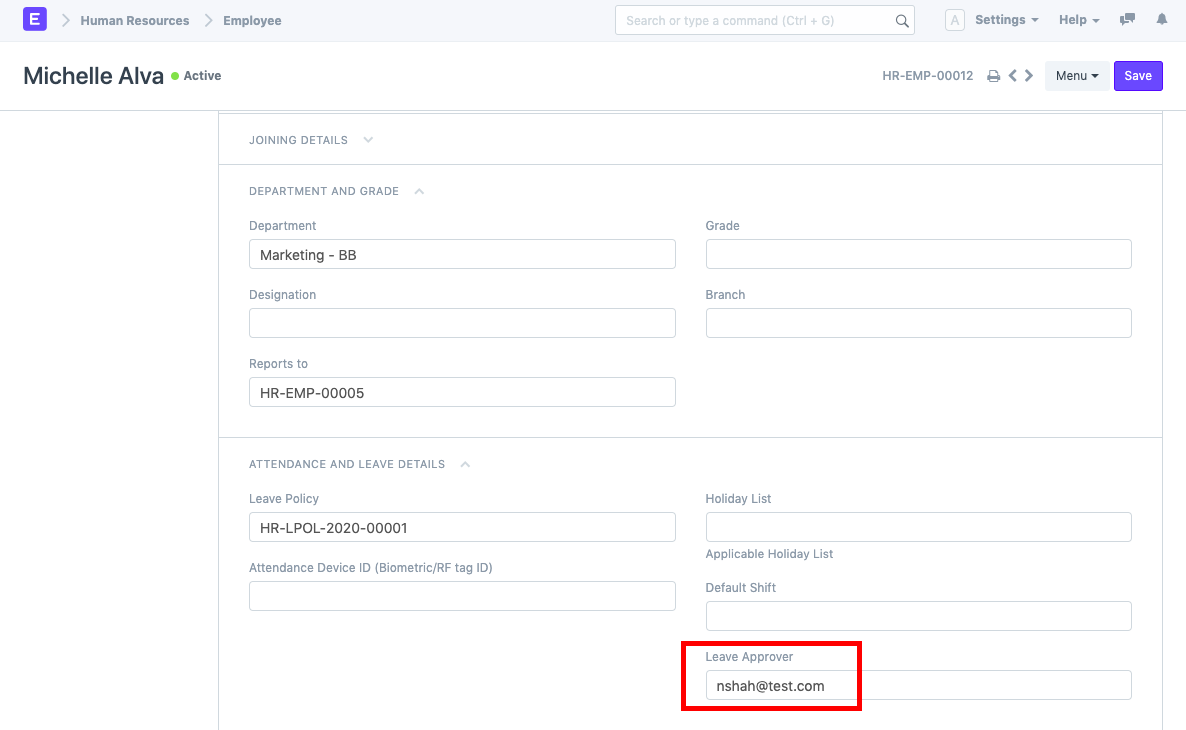
- Open the Employee master record of the employee.
- Navigate to the Attendance and Leave Details section.
- Select the appropriate user in the Leave Approver field.
- Save the Employee record.
Assign Leave Policy and Leave Allocation
Before employees can apply for leave, ensure that leave policies and leave allocations are configured.
- Assign a Leave Policy to the employee through the Employee master.
- Create a Leave Period and allocate the required leave balances.
- Ensure the employee has valid leave allocations available.
Creating a Leave Application
Once the Leave Approver has been configured and leave allocations are available:
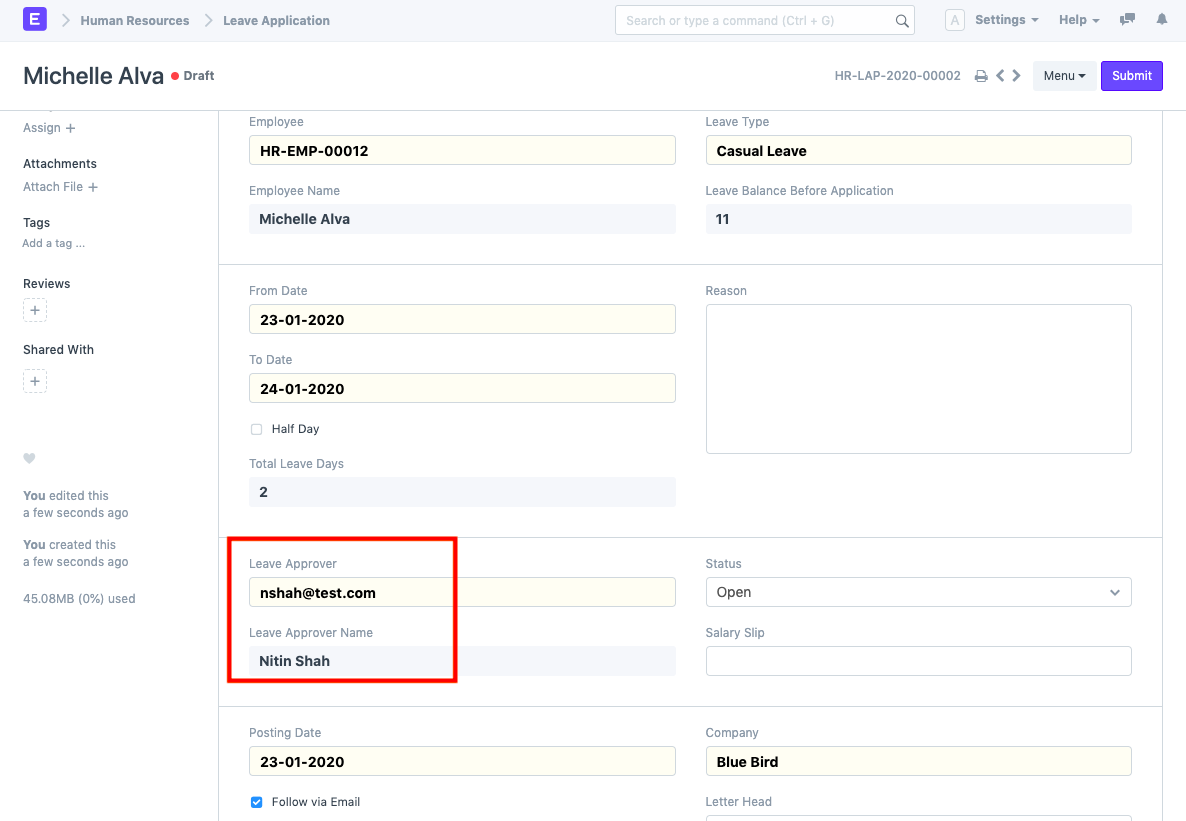
- Create a new Leave Application.
- Select the employee.
- The system will automatically fetch the Leave Approver configured in the Employee master.
Department-Level Leave Approvers
In addition to employee-specific approvers, Frappe HR also supports configuring Leave Approvers at the Department level.
For example, a Leave Approver can be assigned directly within a Department record.
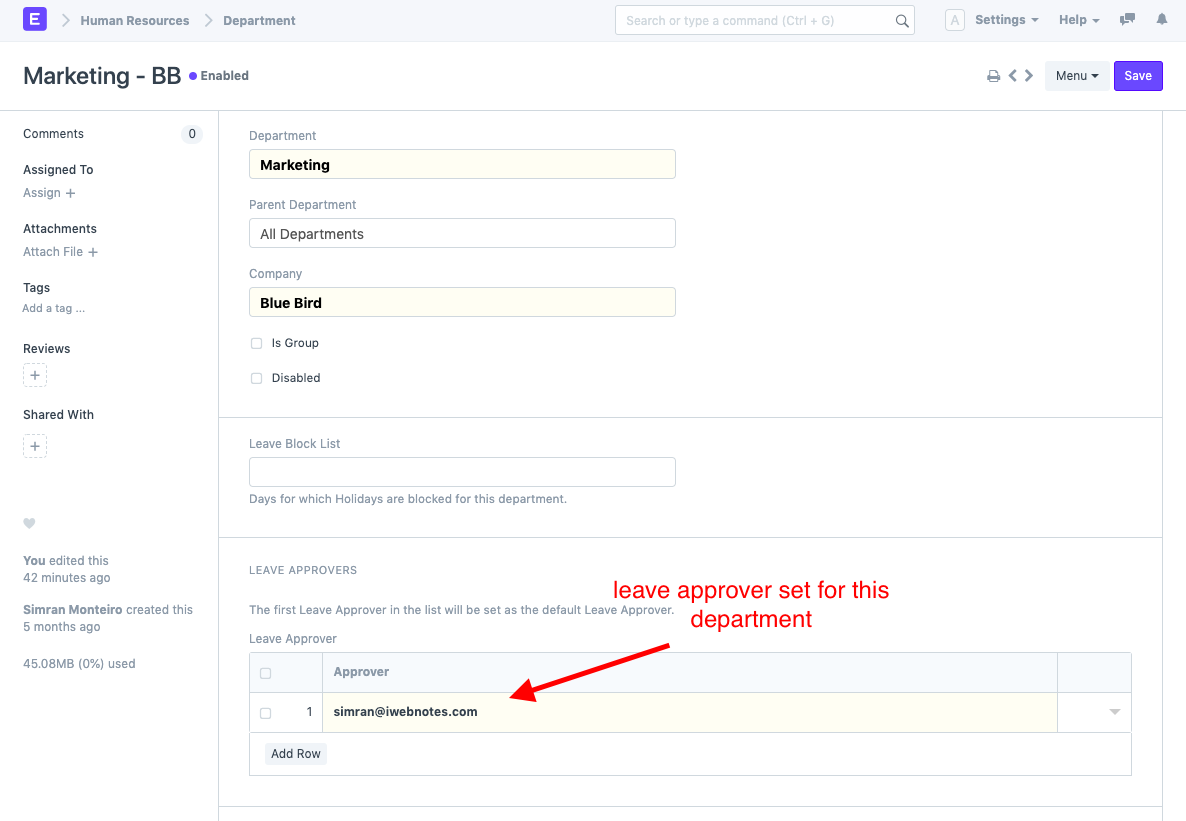
When an employee belonging to that department creates a Leave Application, the system can automatically fetch the Leave Approvers configured for the department.
How Leave Approver Selection Works
The system follows the below logic while fetching approvers:
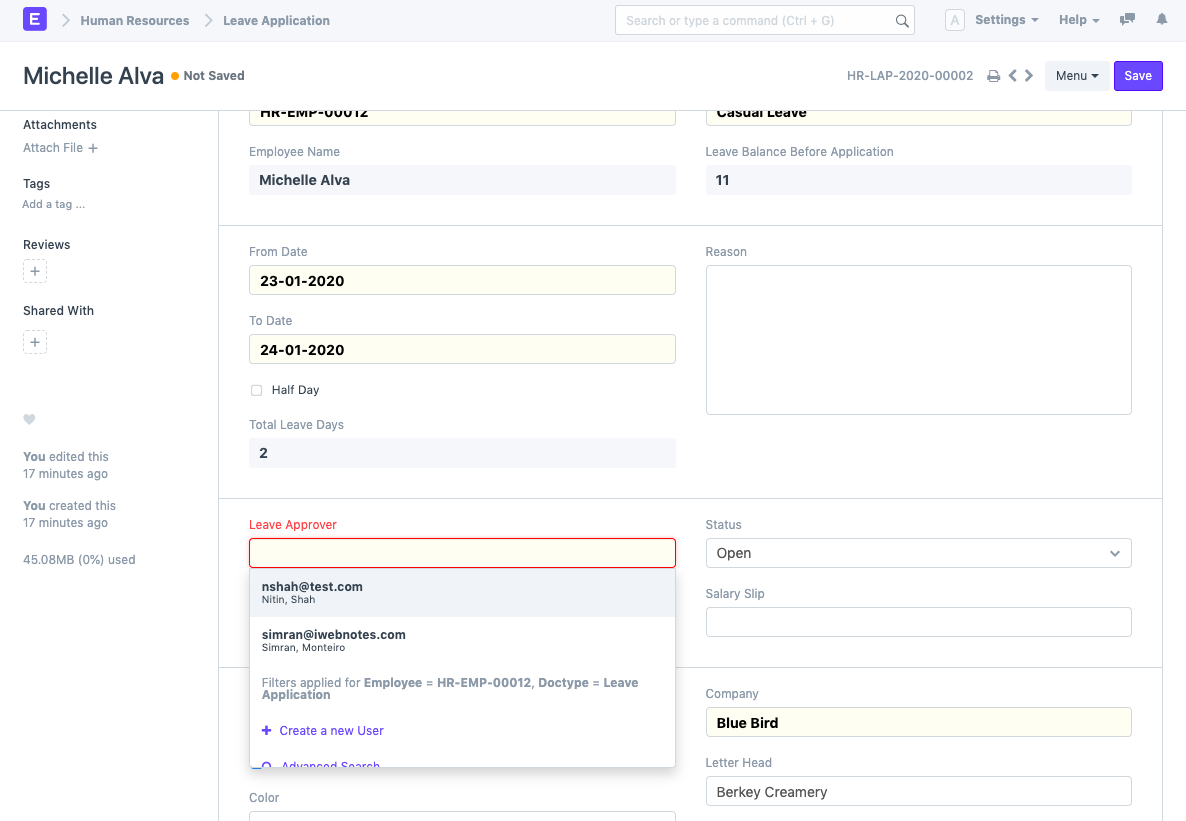
- The Leave Approver configured in the Employee master is selected as the default approver.
- If Leave Approvers are configured at the Department level, they are also made available in the Leave Application.
- The employee-specific Leave Approver always takes priority and remains the default selection.
- Department-level approvers provide additional approval options when required.
NOTE
If both Employee-level and Department-level Leave Approvers are configured, all eligible approvers may appear in the Leave Application. However, the Leave Approver specified in the Employee master will always be selected as the default approver.
TIP
For organizations with a clear reporting structure, it is recommended to configure Leave Approvers directly in the Employee master. This ensures that leave requests are automatically routed to the correct manager and minimizes approval errors.
Related Topics
- Employee
- Leave Application
- Leave Policy
- Leave Period
- Department
- Leave Allocation
- Approval Workflow
SUMMARY
To assign a Leave Approver in Frappe HR, configure the Leave Approver field in the Employee master under Attendance and Leave Details. When an employee submits a Leave Application, the configured approver is automatically selected. If Department-level Leave Approvers are also configured, they will be available as additional options, while the Employee-level Leave Approver remains the default choice.

