
Configuring Earned Leaves in Frappe HR
Frappe HR supports Earned Leaves, allowing organizations to allocate leave balances gradually over time instead of granting the entire leave quota at once. This is useful for implementing leave policies where employees earn leave monthly, quarterly, or at other predefined intervals.
Before configuring Earned Leaves, certain leave management records must be created and linked properly.
1. Prerequisites
Before setting up Earned Leaves, ensure that the following records are created:
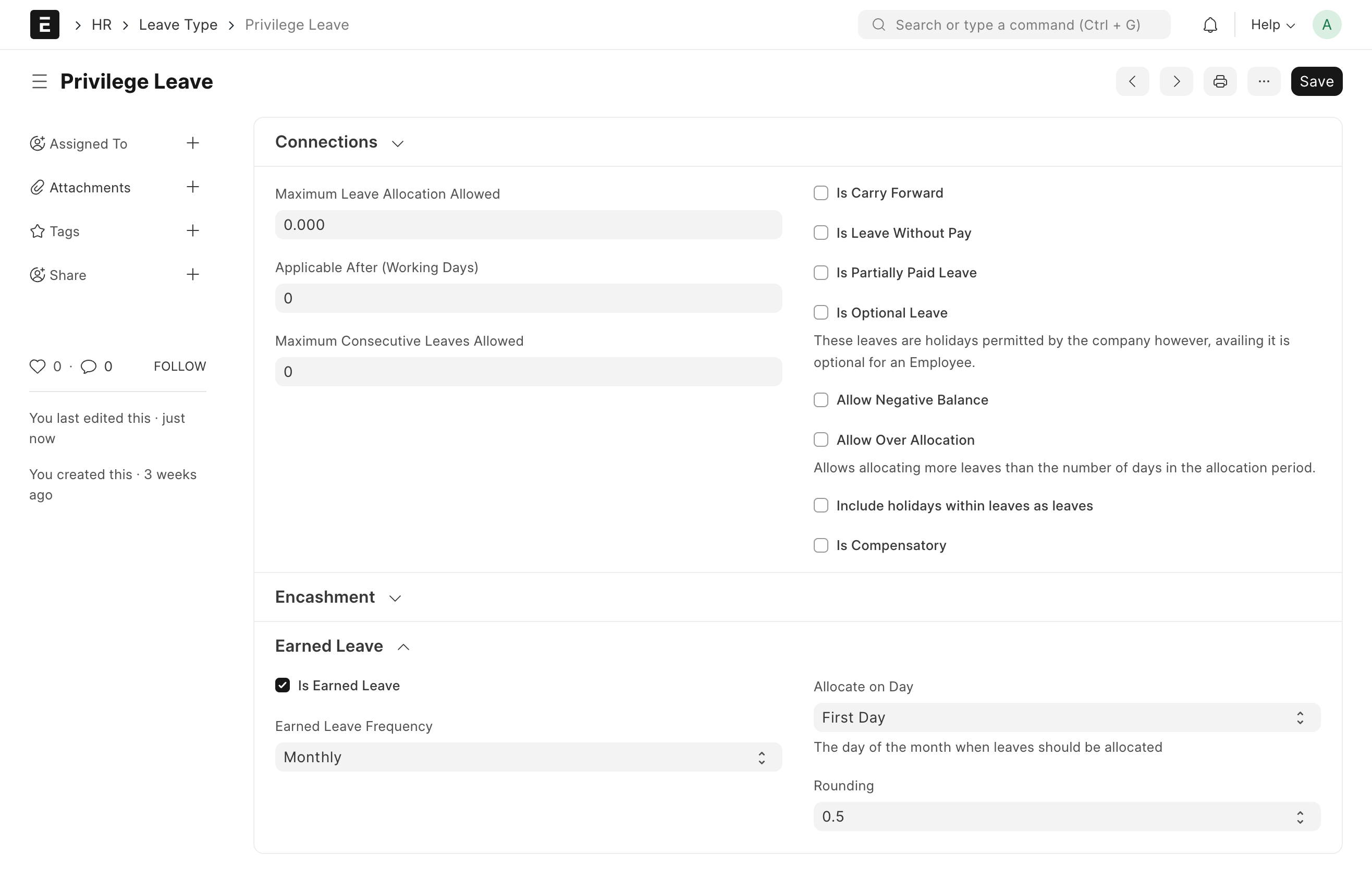
Leave Type
Create a Leave Type that will be used for earned leave allocation.
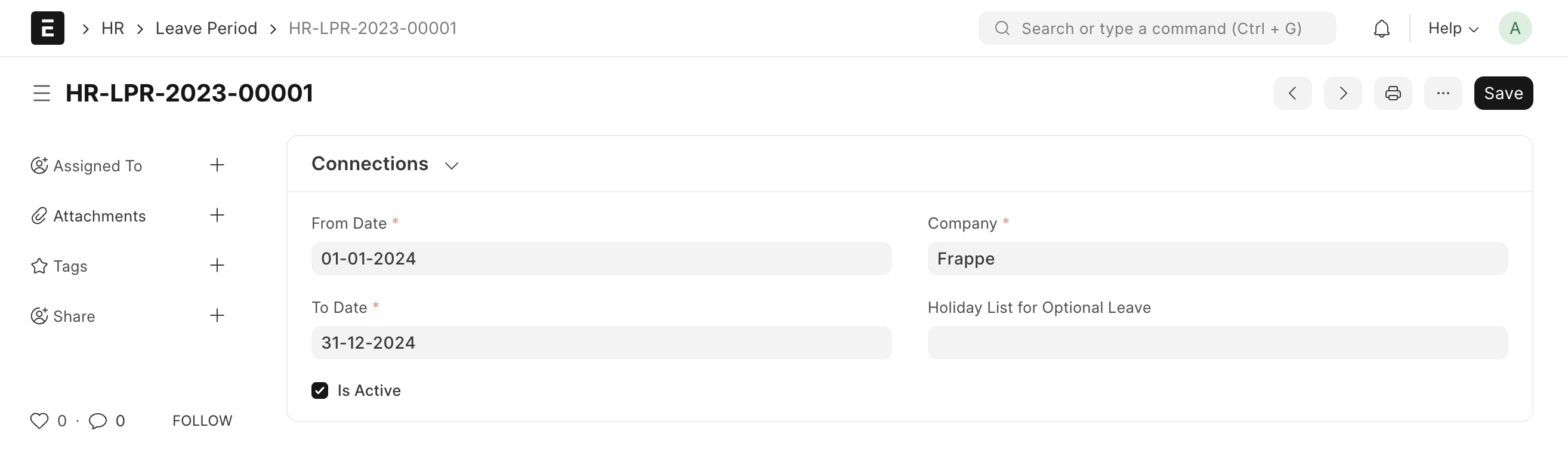
Leave Period
Create a Leave Period that defines the validity period for leave allocations.
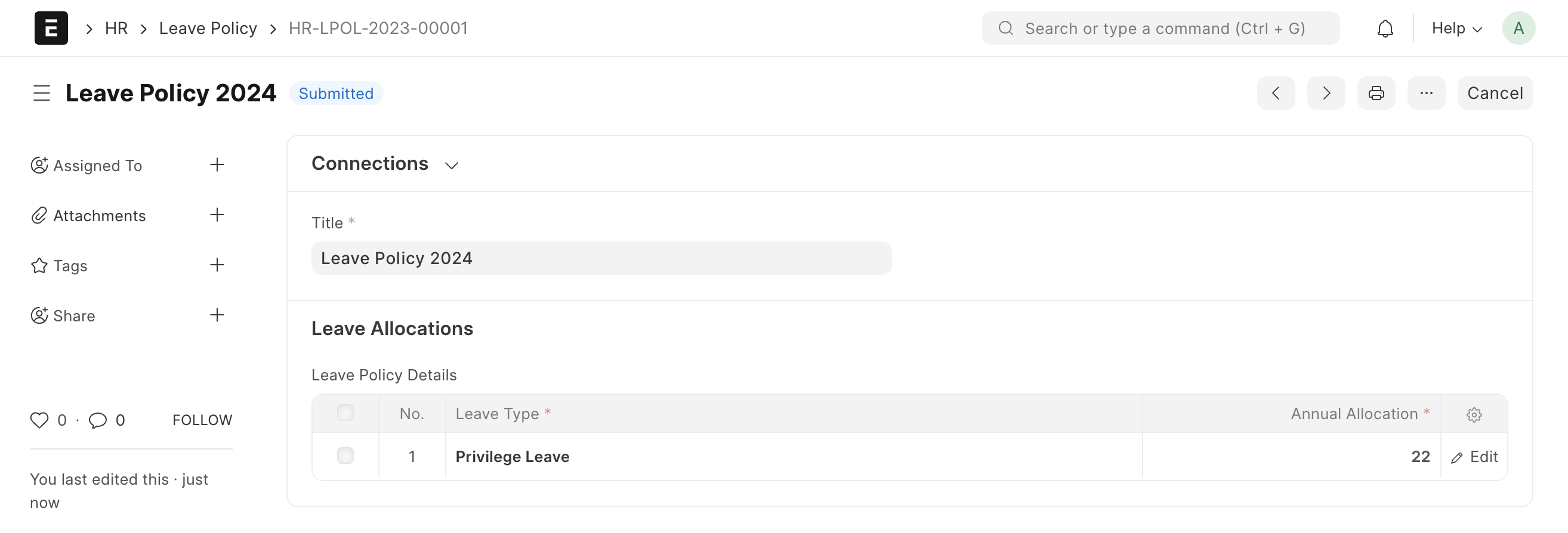
Leave Policy
Create a Leave Policy and configure the earned leave settings according to your organization’s requirements.
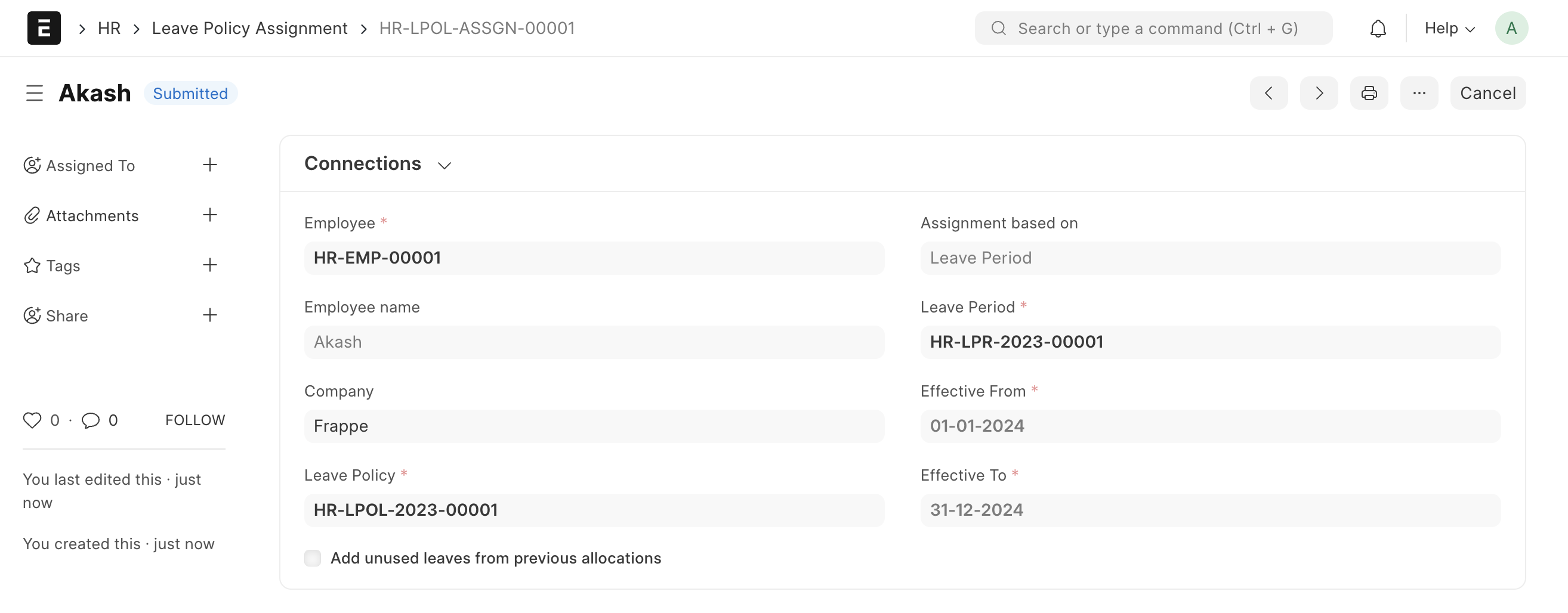
Leave Policy Assignment
Assign the Leave Policy to employees using a Leave Policy Assignment.
IMPORTANT
Earned Leaves cannot be allocated unless the Leave Type, Leave Period, Leave Policy, and Leave Policy Assignment have been configured correctly.
2. How Earned Leaves Work
Once a Leave Policy Assignment is created, the system automatically generates the corresponding Leave Allocation records for the assigned employee.
- Create and submit the Leave Policy Assignment.
- The system automatically creates the associated Leave Allocation.
- The Leave Allocation is updated periodically based on the configured Earned Leave Frequency.
- Employees gradually receive leave credits according to the schedule defined in the Leave Policy.

Earned Leave Frequency
The Earned Leave Frequency determines how often leave credits are added to the employee’s leave balance.
Depending on your policy configuration, earned leaves can be credited:
- Monthly
- Quarterly
- Half-Yearly
- Yearly
- Or at other supported intervals
The system automatically updates leave balances according to the selected frequency without requiring manual intervention.
Benefits of Earned Leaves
- Automates periodic leave allocation.
- Ensures compliance with company leave policies.
- Reduces manual leave balance management.
- Provides accurate and transparent leave accrual tracking.
- Supports flexible leave earning schedules.
NOTE
The leave allocation balance will increase automatically based on the Earned Leave Frequency configured in the Leave Policy. No manual allocation is required once the Leave Policy Assignment is active.
TIP
Review your Leave Policy configuration carefully before assigning it to employees. Any changes to earned leave frequency or allocation rules can affect future leave accrual calculations.
Related Topics
- Leave Type
- Leave Period
- Leave Policy
- Leave Policy Assignment
- Leave Allocation
- Leave Application
SUMMARY
Earned Leaves in Frappe HR allow leave balances to be credited automatically at predefined intervals. After creating a Leave Type, Leave Period, Leave Policy, and Leave Policy Assignment, the system generates Leave Allocations and updates them according to the configured Earned Leave Frequency. This helps organizations automate leave accrual while maintaining accurate leave balances for employees.

