
How to Calculate Overtime Pay Using Timesheets in Frappe HR
Frappe HR allows organizations to compensate employees for overtime work by using Timesheets and integrating them directly with payroll. When configured correctly, overtime hours recorded in employee timesheets are automatically calculated and added to the employee’s Salary Slip during payroll processing.
This feature is useful for organizations that pay employees separately for additional hours worked beyond their regular schedule.
Use Case
An employee works overtime during a payroll period, records those extra hours through Timesheets, and receives overtime compensation along with their regular salary when payroll is processed.
1. Create an Employee
Begin by creating the Employee record that will receive overtime payments.
Ensure that all required employee and payroll details have been configured before proceeding.
2. Create an Overtime Salary Component
Create a Salary Component named:
Overtime
Configure the component as:
- Type: Earning
- Salary Component Name: Overtime
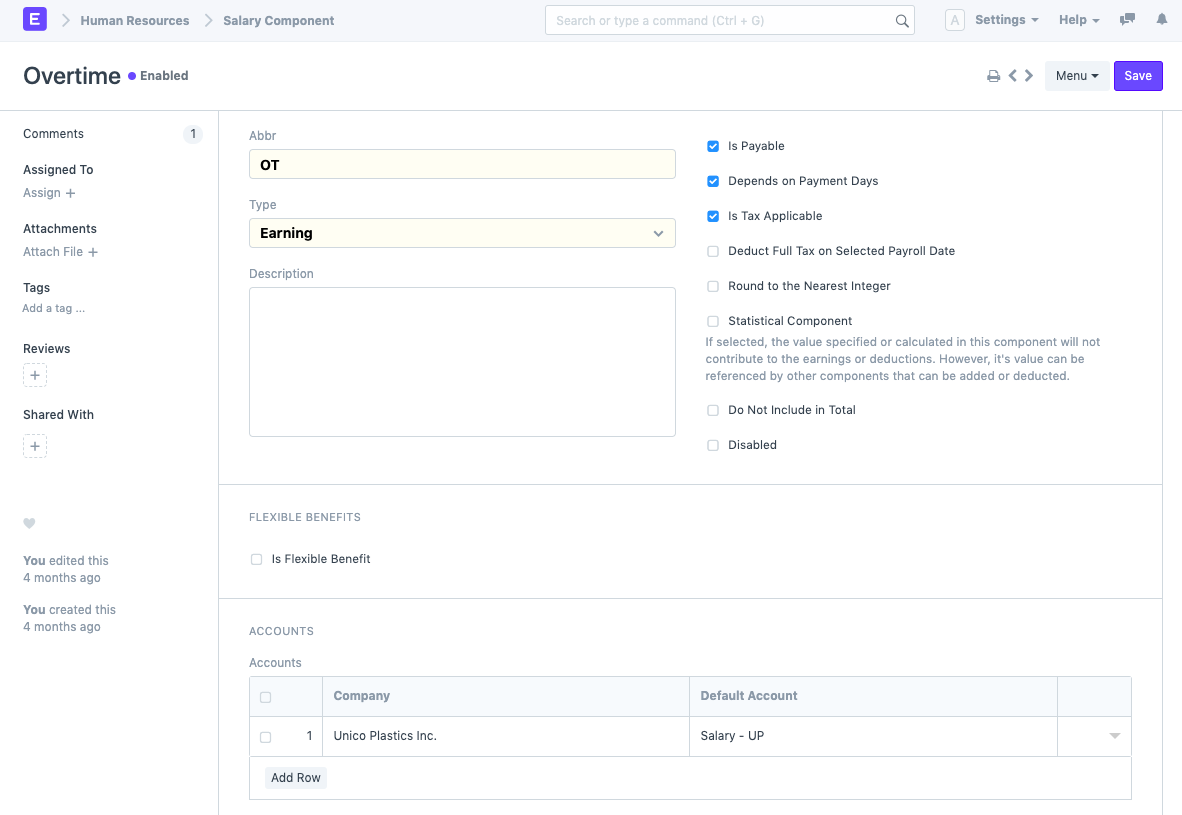
This component will be used to add overtime earnings to the Salary Slip.
3. Create a Salary Structure
Create a Salary Structure and include the Overtime Salary Component in the Earnings section.
While adding the component:
- Select the Overtime Salary Component.
- Set the Amount to 0.
The amount will be calculated dynamically from employee timesheets during payroll processing.
The Overtime component should be added with an initial value of zero because the final amount is calculated from recorded timesheet hours.
4. Configure Timesheet-Based Salary Calculation
Within the same Salary Structure:
- Enable the Salary Slip Based on Timesheet checkbox.
- Select Overtime as the Salary Component.
- Enter the applicable Hour Rate.
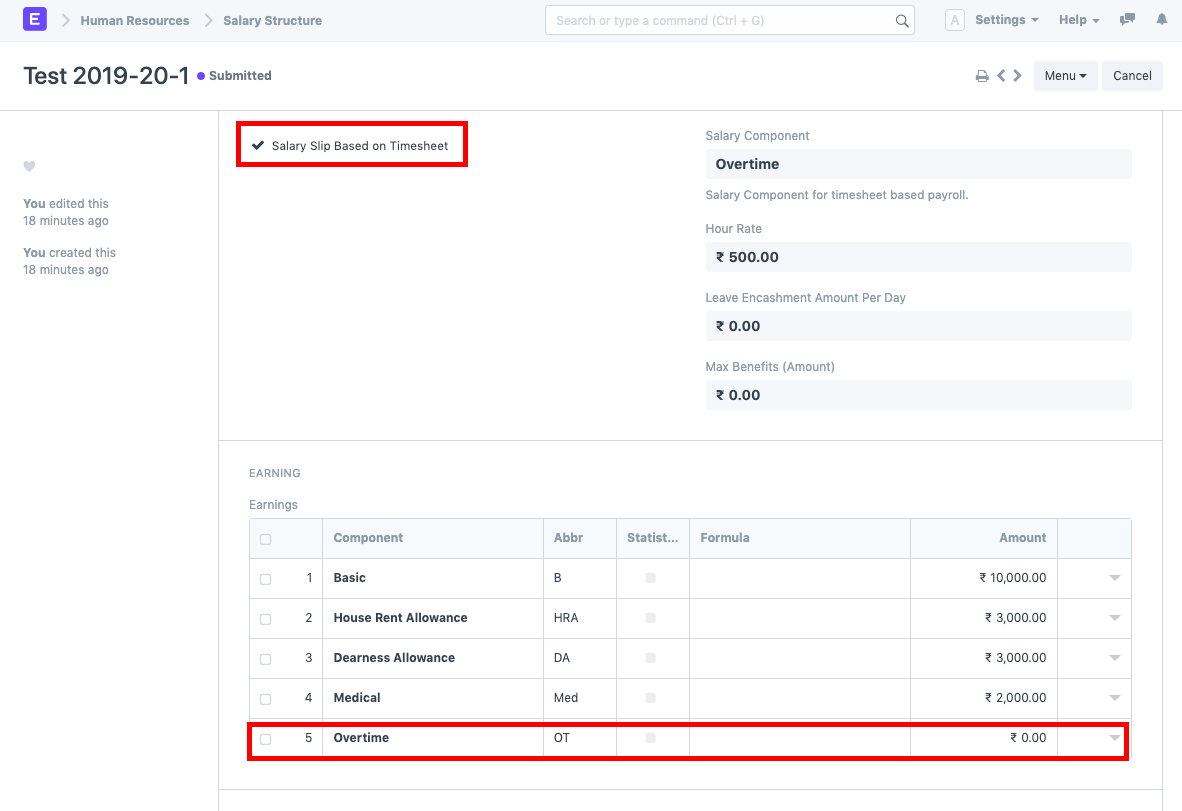
The Hour Rate determines the amount paid per overtime hour.
The overtime amount is calculated by multiplying approved overtime hours by the configured Hour Rate.
5. Assign the Salary Structure
Submit the Salary Structure and assign it to the employee using Salary Structure Assignment.
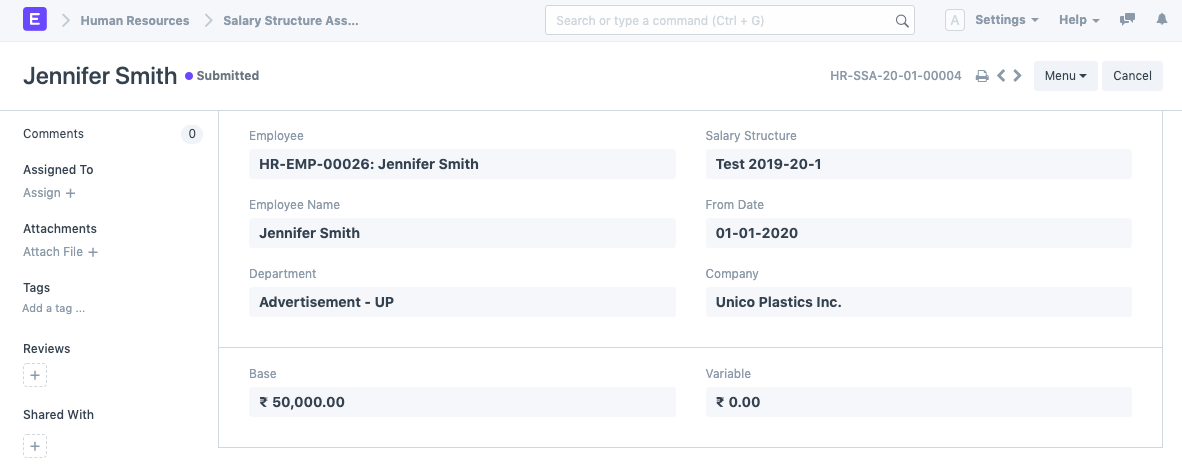
This ensures that the employee becomes eligible for timesheet-based overtime calculations during payroll.
6. Create Employee Timesheets
Record overtime hours using the Timesheet DocType.
Create Timesheet entries for the employee whenever overtime work is performed.
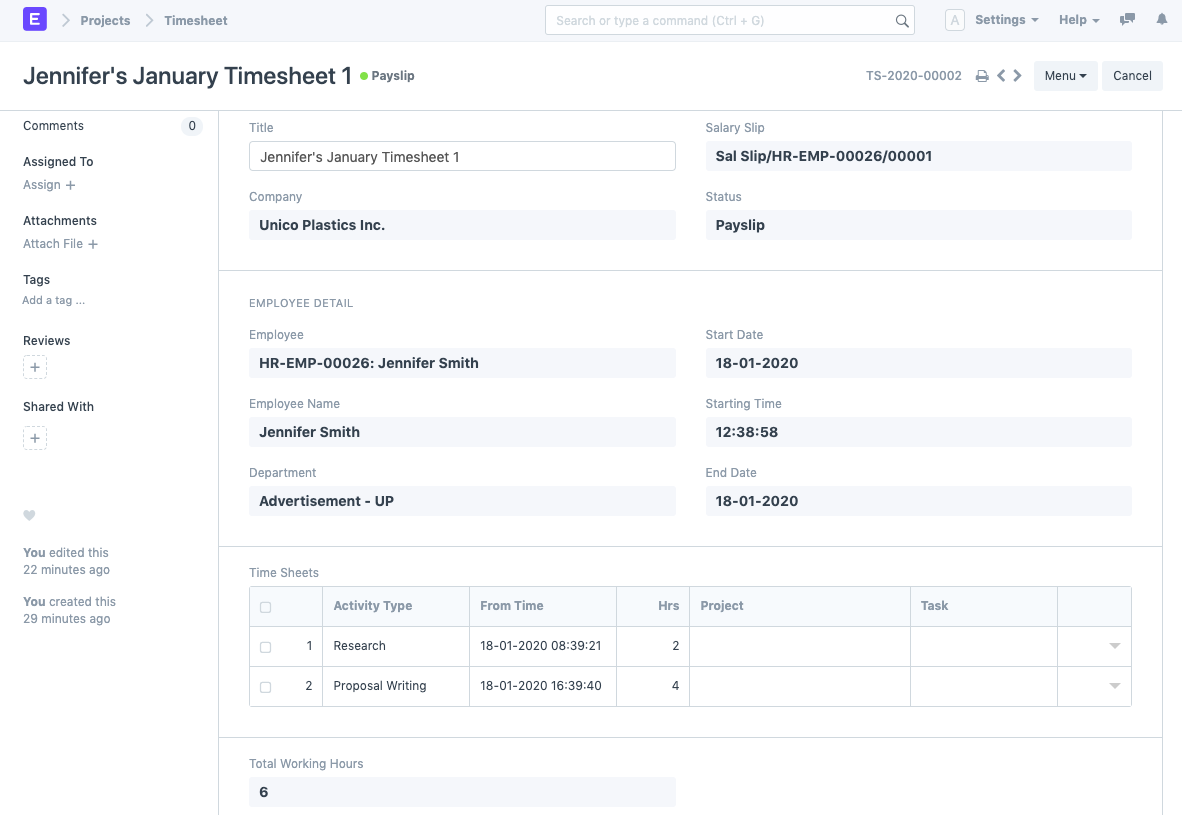
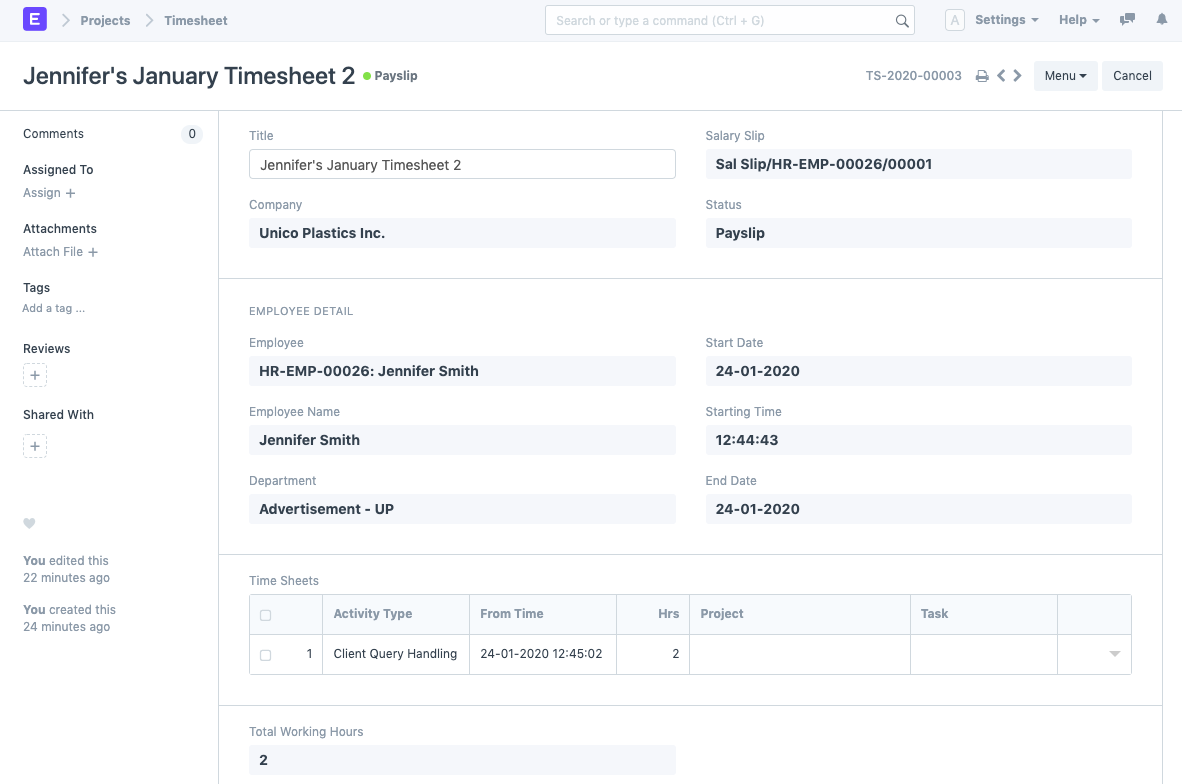
For example:
- An employee records a total of 8 overtime hours during January.
- All approved Timesheets are linked to that employee.
- The system uses these hours during payroll calculation.
Only Timesheets belonging to the payroll period are considered when calculating overtime compensation.
7. Create Payroll Entry
When processing payroll:
- Create a Payroll Entry for the required payroll period.
- Enable the Salary Slip Based on Timesheet checkbox.
- Save the Payroll Entry.
- Click Get Employees.
- Click Create Salary Slips.
The payroll system will automatically fetch employee timesheets associated with the payroll period.
Automatic Overtime Calculation
During Salary Slip generation, Frappe HR performs the following:
- Fetches employee Timesheets for the payroll period.
- Calculates total approved overtime hours.
- Applies the configured Hour Rate.
- Updates the Overtime Salary Component automatically.
- Adds the calculated amount to employee earnings.
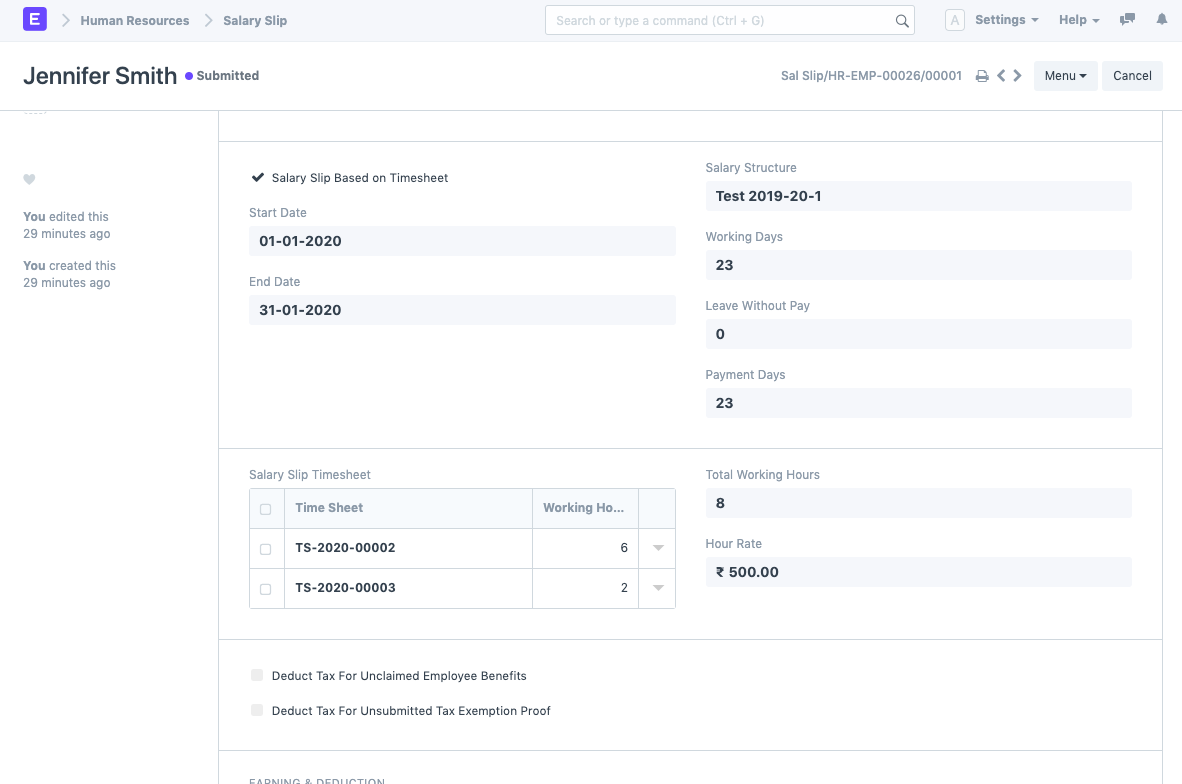
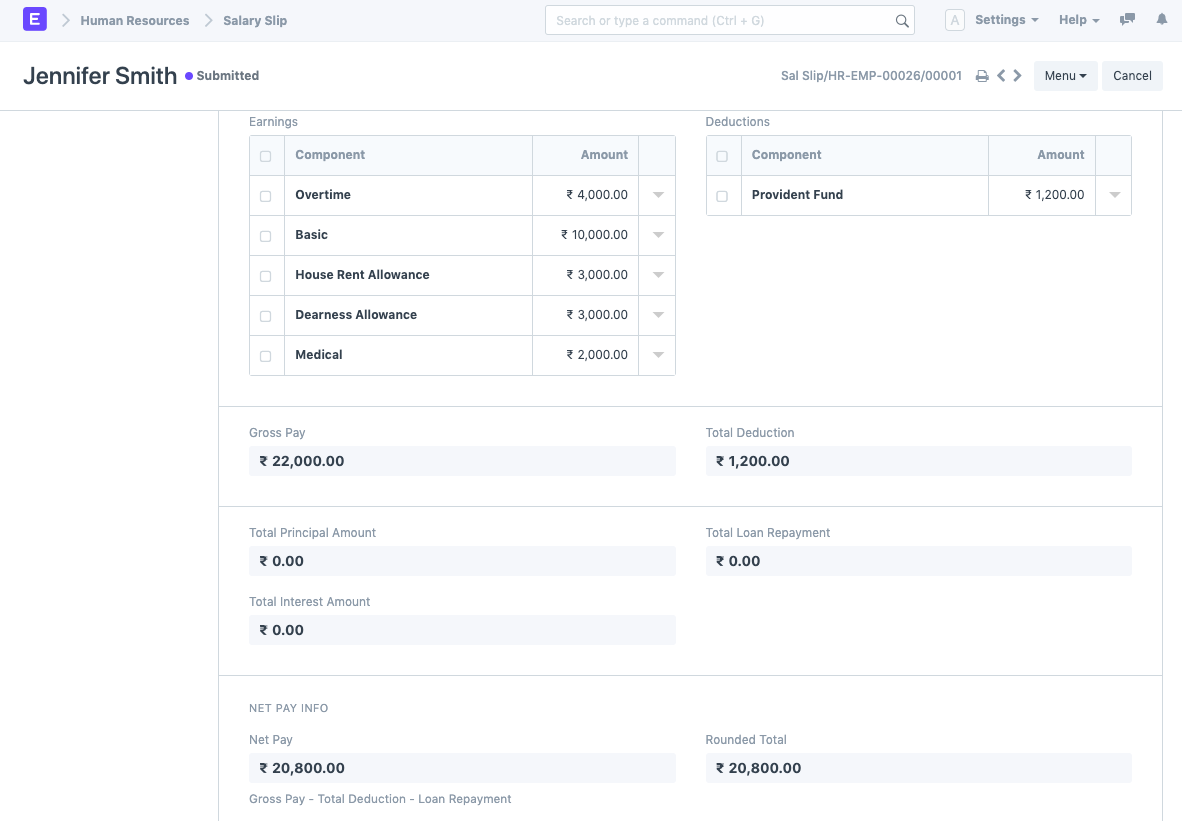
The overtime amount is automatically included in the Salary Slip and paid along with the employee’s regular salary.
Example Calculation
Suppose:
- Total Overtime Hours = 8
- Hour Rate = ₹500
The overtime earning would be:
Overtime Amount = Total Overtime Hours × Hour Rate

Overtime Amount = 8 × 500

Overtime Amount = ₹4,000
This amount is automatically added to the employee’s earnings during payroll processing.
IMPORTANT
The Salary Slip Based on Timesheet option must be enabled both in the Salary Structure and Payroll Entry for overtime calculations to work correctly.
TIP
Ensure that all employee Timesheets are submitted and approved before generating Salary Slips. Unsubmitted or incomplete Timesheets may not be included in overtime calculations.
Related Topics
- Timesheet
- Salary Component
- Salary Structure
- Salary Structure Assignment
- Payroll Entry
- Salary Slip
- Employee
- Overtime Management
SUMMARY
Frappe HR allows overtime compensation through Timesheet-based payroll processing. By creating an Overtime Salary Component, enabling Salary Slip Based on Timesheet in the Salary Structure, configuring an Hour Rate, and recording employee Timesheets, organizations can automatically calculate overtime earnings and include them in employee Salary Slips during payroll generation.

