
Recording TDS Deducted by Customer in ERPNext
This process explains how to account for Tax Deducted at Source (TDS) when the customer deducts tax before making payment.
TDS is recorded using the Deductions section in Payment Entry to ensure proper reconciliation and accounting accuracy.
Scenario
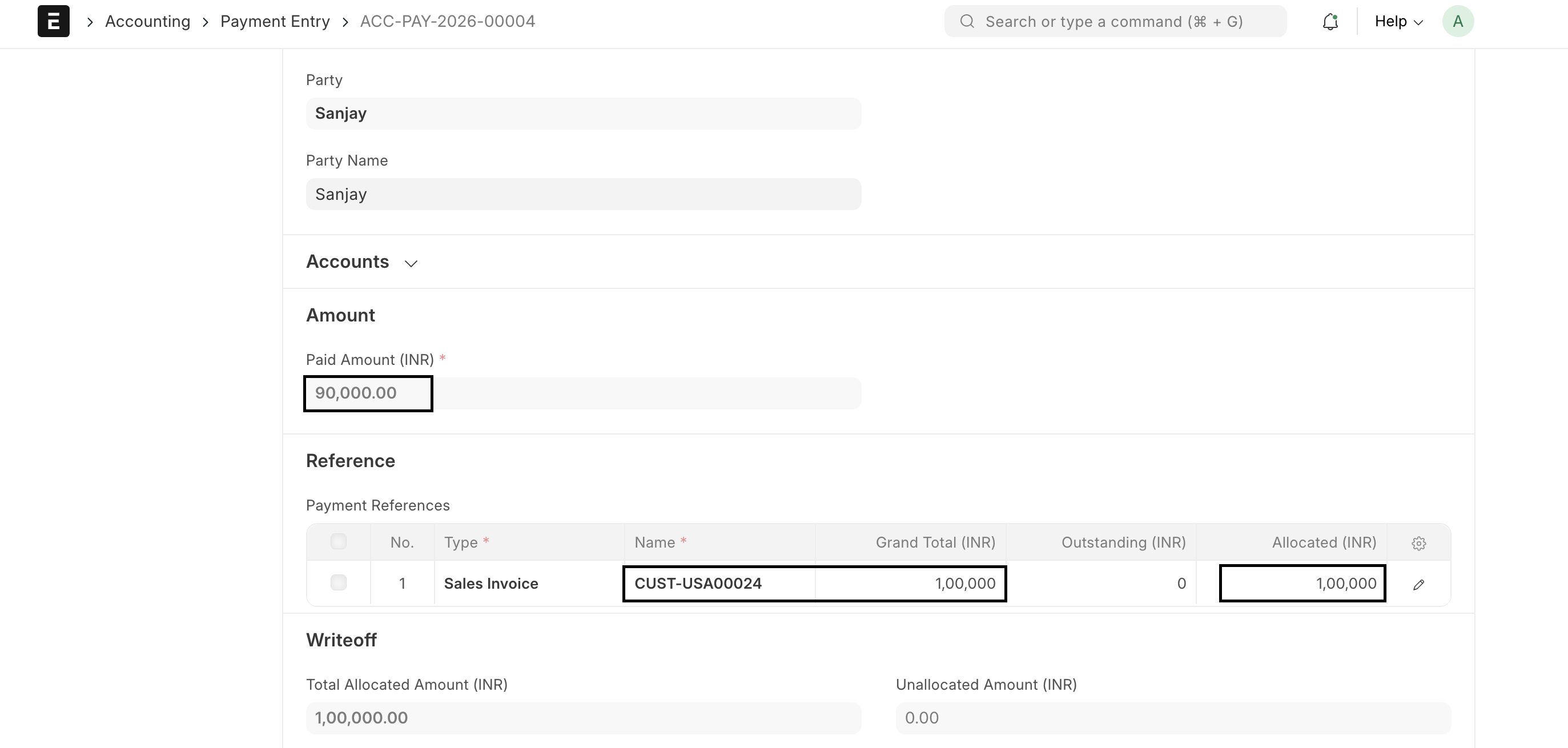
A Sales Invoice is created for ₹1,00,000, but the customer deducts TDS while making payment.
- Invoice Amount: ₹1,00,000
- TDS Deducted: ₹10,000
- Net Payment Received: ₹90,000
How to Record Payment Entry
- Create Payment Entry.
- Set Payment Type as Receive.
- Select Party Type: Customer and choose Customer.
- Enter Paid Amount = ₹90,000 (net received amount).
Add TDS in Deductions Section
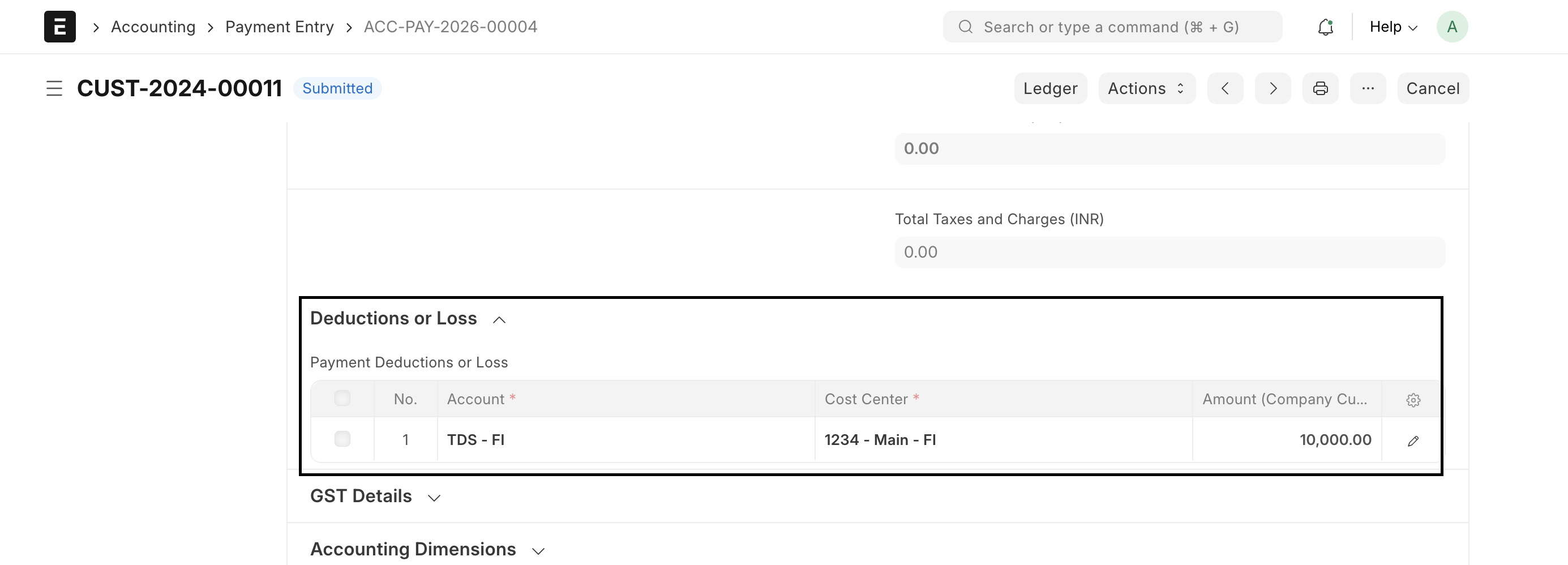
In the Deductions & Loss table, add the TDS entry:
| Account | Amount |
|---|---|
| TDS Receivable | ₹10,000 |
Accounting Impact
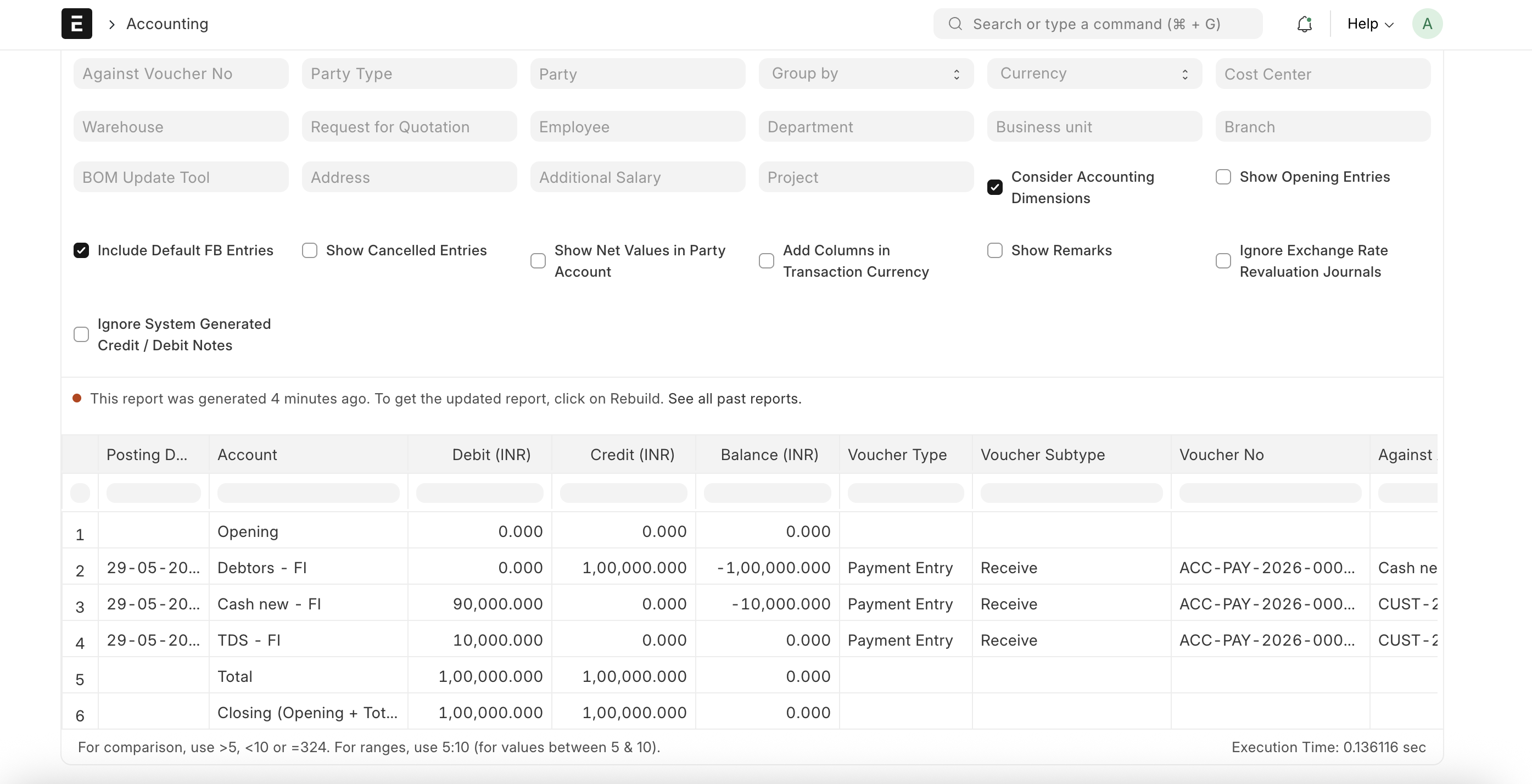
- Customer invoice is fully reconciled
- TDS is recorded in TDS Receivable account
- Bank receives only the net amount
Result
- Customer outstanding becomes zero
- TDS is tracked separately for compliance
- Proper ledger reconciliation is maintained
This ensures accurate accounting of TDS while keeping invoices fully reconciled in ERPNext.

